
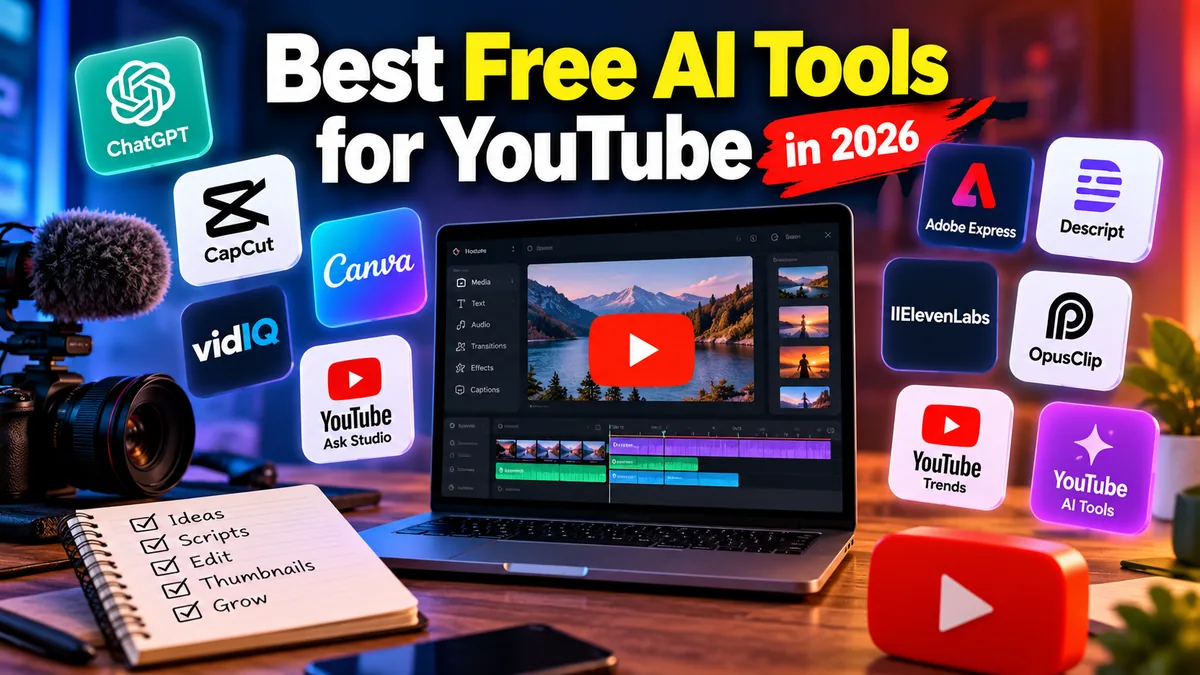
12 Best Free AI Tools for YouTube in 2026
Creating a successful YouTube channel used to require separate tools for research, scripting, thumbnails, editing, captions, voiceovers, SEO, and repurposing. AI has changed that workflow considerably.
Today, creators can automate or accelerate many repetitive production tasks without immediately paying for an expensive software stack. The challenge is figuring out which tools are genuinely useful and which “free” AI products are little more than restricted demos.
The best free AI tools for YouTube can help with everything from finding video ideas and writing scripts to editing footage, designing thumbnails, generating voiceovers, optimizing titles, and turning long videos into Shorts.
For this guide, we focused on tools that offer a meaningful free plan, free allowance, or built-in free access and that solve a practical problem in a YouTube creator’s workflow.
Quick Picks: Best Free AI Tools for YouTube
| Tool | Best For | Free Access | Main YouTube Use |
|---|---|---|---|
| ChatGPT | Scripts and brainstorming | Yes | Ideas, outlines, scripts, titles |
| CapCut | AI video editing | Yes, with limitations | Editing, captions, Shorts |
| Canva | Thumbnails | Yes, limited AI usage | Thumbnails and graphics |
| vidIQ | YouTube research | Yes, limited | Keywords, ideas, optimization |
| YouTube Ask Studio | Channel-specific AI insights | Built into YouTube for eligible creators | Ideas and analytics |
| Adobe Express | Graphics and quick video editing | Yes | Thumbnails and social assets |
| Descript | Text-based editing | Yes, limited | Editing and transcription |
| ElevenLabs | AI voiceovers | Yes, credit-limited | Narration and voices |
| OpusClip | Long video to Shorts | Yes, limited | Repurposing |
| YouTube AI Creation Tools | AI Shorts creation | Built into YouTube where available | Generated clips and backgrounds |
| YouTube Trends | Audience research | Built into YouTube Studio | Topic discovery |
| Canva AI Video | Quick AI-assisted video creation | Limited free usage | Video concepts and visual production |
What Makes a Good Free AI Tool for YouTube?
“Free” can mean several things in AI software.
Some products have permanent free plans. Others provide monthly AI credits, processing minutes, limited generations, or access to basic functionality while reserving advanced features for paid subscribers.
For YouTubers, the most useful free tools generally do at least one of five things:
- Reduce the time required to produce a video.
- Improve research or content planning.
- Make professional-looking creative work easier.
- Repurpose existing content.
- Remove the need to purchase another piece of software.
The goal should not be to automate your entire channel. AI works better as an assistant inside a creator-led workflow.
Here are our top options for 2026.
1. ChatGPT — Best Free AI Tool for YouTube Scripts and Ideas
Best for: Brainstorming, scripting, hooks, outlines and title ideas
Free plan: Available
Platforms: Web, desktop and mobile
ChatGPT is one of the most flexible AI creator tools because it is not restricted to a single stage of production.
You can use it before you ever open a video editor.
For example, give ChatGPT a topic, audience and desired video length and ask it to develop an outline. You can then refine the outline into an introduction, talking points, transitions, conclusion and alternative hooks.
It is also useful for turning rough research notes into a coherent structure.
Where ChatGPT Works Well for YouTube
Creators can use it to:
- Brainstorm video topics.
- Develop content angles.
- Build video outlines.
- Draft scripts.
- Rewrite weak introductions.
- Generate potential titles.
- Develop Shorts concepts.
- Turn long videos into potential short-form ideas.
- Create video-description drafts.
- Organize research.
The free ChatGPT tier includes core chat functionality plus access to additional capabilities subject to current usage limits.
Limitations
AI-generated scripts can sound generic when the prompt contains little context.
More importantly, factual claims should never be published simply because an AI model generated them. Research dates, statistics, quotes, product specifications and current events separately.
Best for: Creators who need one flexible AI assistant covering multiple stages of pre-production.
2. CapCut — Best Free AI Video Editor for YouTube
Best for: Editing videos and Shorts
Free access: Available; individual AI features and availability can vary
Platforms: Web, desktop and mobile
CapCut has developed from a straightforward short-form editor into a broad AI-assisted content-production platform.
Its current toolkit includes AI-assisted video creation, auto captions, text-to-speech, background tools and script-to-video workflows alongside conventional timeline editing.
For YouTubers, its biggest advantage is consolidation.
Instead of using separate software for subtitles, basic effects, vertical edits and social clips, many of those jobs can be handled within the same editing environment.
Useful CapCut Features for YouTubers
Depending on platform and region, CapCut offers tools including:
- Automatic captions.
- Script-to-video workflows.
- AI writing assistance.
- Text-to-speech.
- Background removal.
- Smart reframing.
- Long-video-to-short-form tools.
- AI-generated visuals.
- Video enhancement.
- Standard timeline editing.
That combination makes CapCut particularly useful for YouTube Shorts creators.
Limitations
CapCut changes its AI lineup frequently, and some tools are region-specific or require credits or paid access.
Do not assume every AI feature advertised by CapCut is unlimited under its free plan.
Best for: Beginners who want editing and AI assistance without assembling several separate applications.
3. Canva — Best Free AI Tool for YouTube Thumbnails
Best for: YouTube thumbnails and channel graphics
Free plan: Yes
Platforms: Web, desktop and mobile
A great video with an unconvincing thumbnail can struggle to earn clicks.
That makes Canva one of the most practical creator tools on this list.
Canva Free combines its drag-and-drop design environment with templates, stock assets and limited AI functionality. Its free plan currently provides millions of creative assets, cloud storage and a limited allowance for eligible AI features.
Why Canva Works Well for YouTube
You can use it for:
- YouTube thumbnails.
- Channel banners.
- Video graphics.
- End-screen graphics.
- Community-post images.
- Shorts covers.
- Simple animations.
- Brand templates.
Its AI tools can also assist with visual generation and design tasks, although free users receive considerably less AI usage than subscribers.
Limitations
Many premium templates and assets remain behind paid plans, and the free AI allowance is limited.
Creators should also avoid blindly relying on templates. If thousands of channels use similar layouts, your thumbnail can disappear into the crowd.
Use Canva as the design engine, then customize the composition, typography and visual identity for your channel.
Best for: Creators who want polished thumbnails without learning Photoshop.
4. vidIQ — Best Free AI Tool for YouTube Growth Research
Best for: Ideas, keyword research and channel optimization
Free tier: Available
Platform: Web/browser tools
vidIQ is built specifically around YouTube, which gives it an important advantage over general-purpose AI software.
Its free creator tools include options for generating and researching ideas, titles, descriptions, scripts, keywords and other channel-related information. Some tools can be tried without a paid subscription, while more extensive usage and advanced capabilities sit behind paid plans.
Useful vidIQ Tools
Depending on the current plan and feature availability, creators can use vidIQ for tasks such as:
- Video ideas.
- Keyword research.
- Title generation.
- Description assistance.
- Script generation.
- Channel auditing.
- AI coaching.
- Competitive research.
In 2026, vidIQ also introduced an MCP integration designed to let compatible AI assistants work with vidIQ’s YouTube and Instagram intelligence. During its launch period, vidIQ says MCP access is available across its Free, Boost and Max plans, using the relevant plan’s AI credit allowance.
Limitations
SEO software cannot guarantee views.
YouTube recommendations depend on far more than keywords. Viewer satisfaction, topic demand, packaging, retention and audience response all matter.
Treat vidIQ as a research and decision-support tool rather than a formula for guaranteed growth.
Best for: Creators who want YouTube-specific research rather than a general AI chatbot.
5. YouTube Ask Studio — Best Built-In AI Tool for Your Own Channel
Best for: Channel-specific insights and brainstorming
Cost: Included in YouTube Studio for eligible creators
Platform: Desktop web
One of the most interesting AI creator tools in 2026 does not require another platform at all.
Ask Studio is YouTube’s AI creative assistant inside YouTube Studio.
YouTube says it can help creators brainstorm ideas, analyze performance, examine audience trends and develop video concepts.
That is particularly useful because Ask Studio operates within the creator’s YouTube environment rather than functioning purely as a generic chatbot.
Creators can ask questions about their content, explore potential ideas and request feedback on scripts.
YouTube says Ask Studio is available to most creators globally, although eligibility restrictions apply and availability is not universal.
Important 2026 Change
Creators who previously used YouTube’s Inspiration tab should pay attention here.
YouTube began gradually deprecating the Inspiration tab in August 2026 and now directs creators toward Ask Studio for AI-assisted content brainstorming.
That makes older tutorials centered around the Inspiration tab increasingly outdated.
Limitations
YouTube itself warns that Ask Studio responses can vary in quality and accuracy.
AI insight should therefore support your judgment rather than replace it.
Best for: Existing YouTubers who want AI assistance informed by their channel environment.
6. Adobe Express — Best Free Canva Alternative for YouTube Creators
Best for: Thumbnails, graphics and lightweight editing
Free plan: Yes
Platforms: Web, iOS, Android and iPad
Adobe Express deserves attention from creators who want a free visual-production platform but prefer Adobe’s ecosystem.
The current free plan includes standard photo, video and document editing, thousands of fonts, a large collection of templates and access to royalty-free Adobe Stock assets.
Adobe also provides AI-assisted creative features across the broader Express and Firefly ecosystem, although limits and entitlements depend on the feature and plan.
Good YouTube Uses
Adobe Express works well for:
- Thumbnails.
- Channel graphics.
- Shorts graphics.
- Promotional images.
- Basic video edits.
- Social-media repurposing.
Its combination of conventional design tools and AI features makes it especially useful for creators who do not need a full professional Adobe video workflow.
Limitations
Premium assets and more advanced functionality require paid access.
Check whether an asset is free before committing it to a design because Adobe notes that Stock assets can move between free and premium availability.
Best for: Creators looking for a polished free alternative to Canva.
7. Descript — Best Free AI Tool for Editing Talking-Head Videos
Best for: Podcasts, tutorials, interviews and talking-head videos
Free plan: Yes, limited
Platforms: Desktop/web ecosystem
Descript approaches video editing differently from a conventional timeline editor.
It can transcribe recorded media and let creators work with spoken content through text, which can make editing dialogue-heavy videos considerably easier.
Its AI co-editor, Underlord, extends that workflow with AI-assisted editing and production features.
The current free tier is best viewed as a way to use Descript on smaller projects or evaluate whether text-based editing fits your workflow.
At the time of writing, Descript advertises one media hour per month on its free plan, limited AI functionality and restricted export capabilities.
Where Descript Is Most Useful
Consider it for:
- Interviews.
- Podcasts.
- Video essays.
- Tutorials.
- Talking-head content.
- Transcription.
- Script-based editing.
If your channel consists mostly of spoken content, editing words rather than hunting through a timeline can save substantial time.
Limitations
The free plan is much more restrictive than the paid versions, particularly for creators producing multiple long-form videos every month.
Best for: Creators who spend large amounts of time editing dialogue.
8. ElevenLabs — Best Free AI Voice Generator for YouTube
Best for: AI narration
Free plan: Yes
Platforms: Web/API ecosystem
ElevenLabs is one of the better-known AI voice platforms and can be useful for creators who need narration for explainers, animations, demonstrations or other formats where recording a human voice is impractical.
Its free plan currently includes a monthly credit allowance rather than unlimited voice generation.
That makes it better suited to experimentation and shorter projects than high-volume production.
Practical YouTube Uses
ElevenLabs can help with:
- Video narration.
- Short-form voiceovers.
- Character voices.
- Localization experiments.
- Prototypes.
- Audio production.
Commercial-Use Warning
Creators planning monetized videos should examine the current licensing terms attached to their plan before publishing commercially.
A product being free to try does not automatically mean every generated asset carries identical commercial-use rights.
This distinction is especially important for monetized YouTube channels, sponsored content and client projects.
Best for: Creators testing AI narration or producing limited amounts of voice-based content.
9. OpusClip — Best Free AI Tool for Turning Videos Into Shorts
Best for: Repurposing long videos
Free plan: Yes
Platform: Web
If you already create long-form content, your archive can become a source of Shorts.
OpusClip is designed around this workflow.
Rather than manually searching a podcast, interview or long video for short segments, the software can help identify and create clips suitable for short-form platforms.
Its free-forever plan currently provides a limited monthly processing allowance. New users may also receive trial access to paid functionality, but trial allowances should not be confused with the permanent free tier.
Ideal Content Types
OpusClip is particularly useful for:
- Podcasts.
- Interviews.
- Educational videos.
- Commentary.
- Webinars.
- Long-form talking-head videos.
One long recording can potentially supply several short-form ideas.
Limitations
AI does not always identify the clip a human editor would choose.
Check the opening hook, context, captions, crop and ending manually before publishing.
Best for: Long-form creators building a YouTube Shorts strategy.
10. YouTube’s Built-In AI Creation Tools — Best Free Option for AI Shorts
Best for: Generative YouTube Shorts
Cost: Built into YouTube where available
Platform: YouTube mobile app
YouTube itself has become an increasingly important AI creation platform.
Eligible creators can access generative features inside Shorts that can produce backgrounds, images and short video clips from prompts.
In 2026, YouTube expanded its generative video capabilities, including integrations involving Google’s Veo technology.
Creators can use supported features to generate standalone video clips for Shorts or AI-generated backgrounds without moving the entire workflow to another editing platform.
The Catch: Regional Availability
Availability remains important.
YouTube states that some generative Shorts features are available in most countries when the device language is set to English, but individual functions have geographic restrictions.
Some features are unavailable in the European Economic Area, while other functionality may differ in the UK or specific markets.
Check your own Create interface rather than assuming a feature shown in a US tutorial exists in your region.
Best for: Shorts creators who want AI generation directly inside YouTube.
11. YouTube Trends — Best Free Tool for Finding What Your Audience Wants
Best for: Topic research
Cost: Free inside YouTube Studio
Platform: YouTube Studio
Not every useful AI-era creator tool needs to generate content.
YouTube Studio’s Trends tools can be more valuable than another script generator because they help answer a more fundamental question:
What should you make a video about?
YouTube’s current Trends experience can surface search information and audience-related insights that help creators investigate demand for potential topics.
The platform has been rolling out an updated YouTube Studio experience during 2026, so the exact interface and available insights can vary.
A Better Research Workflow
Instead of asking an AI chatbot:
“Give me 20 viral YouTube ideas.”
Try this:
- Research audience interest in YouTube Studio.
- Identify several promising topics.
- Examine competing videos.
- Find an unanswered question or better angle.
- Use ChatGPT or Ask Studio to develop the concept.
- Validate the title and packaging.
- Create the video.
AI becomes much more useful once it is working with real audience information.
Best for: Every creator deciding what to publish next.
12. Canva AI Video — Best for Quick Visual Prototypes
Best for: Simple visual videos and creative concepts
Free access: Limited AI usage
Platforms: Web and apps
Canva appears twice in our list because its thumbnail and video workflows solve substantially different problems.
Canva’s AI video tools can turn prompts, clips and photos into video concepts and assist with quick visual production.
For YouTubers, this is most useful when you need a simple promotional sequence, B-roll-style visual concept, social clip or prototype rather than a complex long-form edit.
Free users receive limited access to Canva’s AI functionality, so it is better viewed as a supplementary tool than an unlimited AI video generator.
Best for: Creators already designing their channel assets in Canva who occasionally need AI-assisted video generation.
Best Free AI Tools for YouTube by Task
Choosing software by task is often more useful than choosing it by brand.
| YouTube Task | Recommended Free Tool |
|---|---|
| Brainstorming | ChatGPT / Ask Studio |
| Script writing | ChatGPT |
| Channel-specific insights | Ask Studio |
| Keyword and competitor research | vidIQ |
| Audience/topic research | YouTube Trends |
| Thumbnail design | Canva |
| Alternative thumbnail design | Adobe Express |
| Full video editing | CapCut |
| Talking-head editing | Descript |
| AI voiceovers | ElevenLabs |
| Long video → Shorts | OpusClip |
| AI-generated Shorts | YouTube AI tools |
| Quick AI video concepts | Canva AI Video |
The Best Free AI YouTube Workflow in 2026
You do not need all 12 tools.
In fact, using too many AI products can make production slower because you spend more time transferring content between applications.
A practical zero- or low-cost workflow could look like this:
Step 1: Research the Topic
Start with YouTube Trends, Ask Studio and the free tools available through vidIQ.
Look for topics where audience demand overlaps with your channel’s expertise.
Step 2: Build the Video Concept
Use ChatGPT to turn the topic into several possible angles.
Choose the strongest idea yourself rather than automatically accepting the first AI suggestion.
Step 3: Write the Script
Develop an outline first.
Then write each section individually.
This usually produces better results than requesting a complete 2,000-word script in a single prompt.
Add your own experience, opinions, examples and personality.
Step 4: Record
Whenever possible, record original footage or narration.
AI can accelerate production, but recognizable human perspective is still one of the strongest ways to differentiate a channel from mass-produced content.
Step 5: Edit
Use CapCut for general video production or Descript if your project is primarily dialogue.
Step 6: Add Voice or Supporting Audio
If AI narration genuinely fits the format, experiment with ElevenLabs while checking the licensing terms for your intended use.
Step 7: Create the Thumbnail
Use Canva or Adobe Express.
Create several variations instead of automatically publishing your first design.
Step 8: Repurpose the Video
Run appropriate long-form videos through OpusClip or manually identify strong short segments in CapCut.
One long-form upload can then support additional Shorts and social content.
Free AI Tools vs Paid AI Tools: When Should You Upgrade?
A new creator usually does not need five AI subscriptions.
Stay with free plans until a specific limitation starts costing you more time or money than the subscription would.
An upgrade makes more sense when:
- You consistently hit monthly usage limits.
- Watermarks or export restrictions affect professional output.
- You need commercial licensing unavailable on the free tier.
- Processing limits interrupt your publishing schedule.
- Premium automation would eliminate repetitive work.
- A tool is already producing measurable workflow value.
Do not subscribe simply because a platform advertises dozens of AI features.
Pay for the bottleneck.
If video editing consumes six hours per upload, improve the editing workflow first. If editing is easy but finding good topics is difficult, spend your budget on research instead.
Can You Monetize YouTube Videos Made With AI?
AI assistance by itself does not make a video unsuitable for YouTube.
However, creators remain responsible for what they publish.
That means AI-generated material still needs to comply with YouTube policies, copyright rules, privacy requirements and applicable disclosure requirements.
Creators should be particularly careful with:
- Synthetic depictions of real people.
- AI-generated celebrity voices.
- Copyrighted characters.
- Music licensing.
- Stock-media licenses.
- Misleading synthetic footage.
- Automatically generated factual claims.
- Mass-produced low-value content.
The safest long-term strategy is not “automate everything.”
Use AI to improve the economics of producing original content with genuine editorial value.
Are Free AI Tools Enough to Start a YouTube Channel?
Absolutely.
A beginner can now build a surprisingly capable creator stack without immediately paying for software.
For example:
Research: YouTube Trends + vidIQ
Planning: Ask Studio + ChatGPT
Script: ChatGPT
Thumbnail: Canva
Editing: CapCut
Shorts: CapCut + YouTube’s built-in AI tools
That covers most of the production cycle.
The limiting factor is increasingly not access to software.
It is the creator’s ability to find worthwhile topics, make compelling videos and develop an audience that wants to return.
Final Verdict
There is no single best free AI tool for YouTube because different tools solve different problems.
For the broadest everyday usefulness, ChatGPT is the strongest starting point for ideation, outlines and scripts.
For production, CapCut provides one of the most useful combinations of conventional editing and AI-assisted tools available to budget-conscious creators.
For thumbnails, Canva remains an accessible option, while vidIQ provides YouTube-specific research tools that general-purpose AI assistants cannot fully replace.
But one of the biggest changes in 2026 is happening inside YouTube itself.
Ask Studio, YouTube Trends and YouTube’s expanding generative Shorts features mean creators should explore the AI tools already included in their YouTube workflow before paying for another subscription.
A smart creator stack might therefore consist of only four tools:
YouTube Studio + ChatGPT + CapCut + Canva.
Add specialist software such as vidIQ, Descript, ElevenLabs or OpusClip only when your workflow actually requires it.
AI can reduce production time.
It cannot replace a compelling idea.
Frequently Asked Questions
What are the best free AI tools for YouTube in 2026?
Useful free options include ChatGPT for scripting and ideation, CapCut for editing, Canva for thumbnails, vidIQ for YouTube research, YouTube Ask Studio for channel-specific AI assistance, Adobe Express for graphics, Descript for text-based editing, ElevenLabs for limited AI voice generation and OpusClip for repurposing long videos into short clips.
What is the best free AI tool for making YouTube videos?
CapCut is one of the most practical choices for creators who want AI-assisted video creation and editing in the same platform. The best option still depends on whether you produce long-form videos, Shorts, tutorials, podcasts or faceless content.
What is the best free AI for YouTube scripts?
ChatGPT is a flexible option for creating outlines, hooks, scripts and alternative titles. Creators should fact-check factual material and rewrite AI-generated drafts to incorporate their own expertise and voice.
Can ChatGPT create YouTube videos?
ChatGPT can help plan videos, research topics, develop scripts, create images where supported, and assist with other production tasks. For traditional timeline video editing, a dedicated editor such as CapCut or Descript is generally more practical.
Can I use AI to make YouTube Shorts for free?
Yes. CapCut provides free editing capabilities, while YouTube itself offers AI-assisted Shorts creation features in supported countries and languages. Availability varies by region and account.
What is the best free AI thumbnail maker?
Canva is one of the easiest options because its free plan combines templates, design tools, creative assets and limited AI functionality. Adobe Express is another strong free alternative.
Is vidIQ free?
vidIQ offers a free tier and several free YouTube tools. More extensive usage and advanced features require paid plans.
Is ElevenLabs free for YouTube?
ElevenLabs offers a free plan with a limited credit allowance. Creators planning commercial or monetized usage should review the licensing rights associated with their current plan before publishing.
Can AI-generated YouTube videos be monetized?
The use of AI does not by itself determine whether a channel can monetize. Creators still need to comply with YouTube’s monetization, originality, copyright, disclosure and other platform policies. Low-value mass-produced content can present problems regardless of which AI software created it.
Should beginners pay for AI tools?
Usually not immediately. Start with free tools and identify your biggest production bottleneck. Upgrade when a specific paid feature saves enough time or creates enough business value to justify its cost.


