
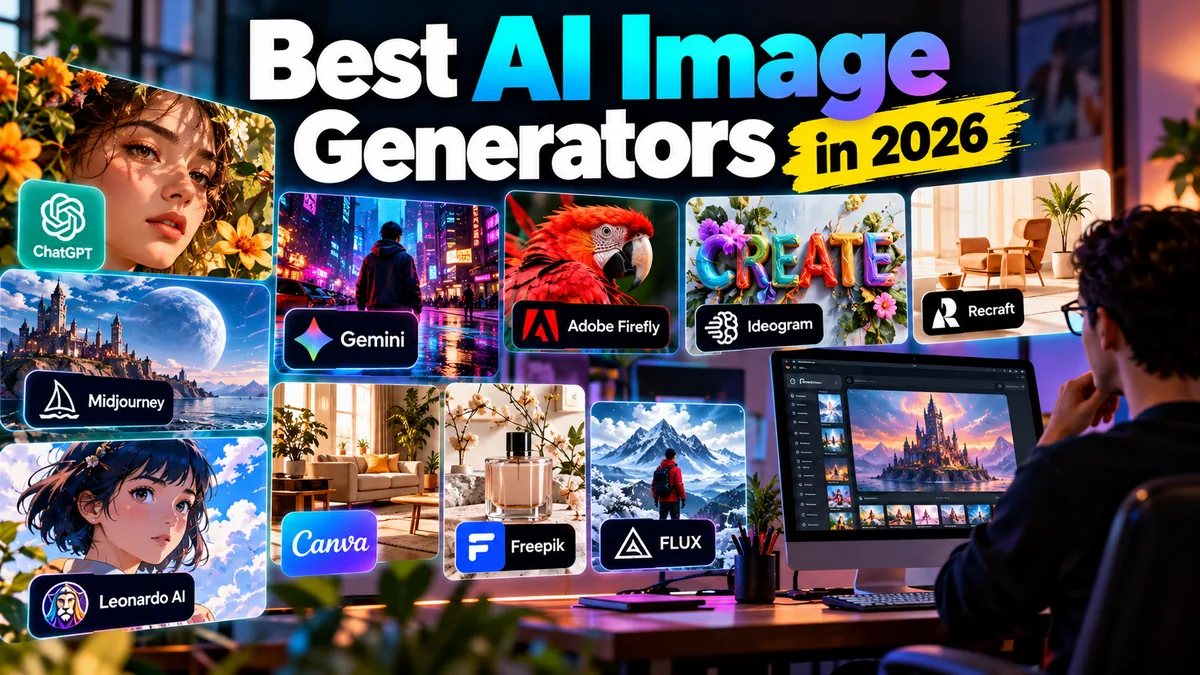
10 Best AI Image Generators in 2026: Tested by Use Case
AI image generation has moved well beyond creating strange fantasy pictures from a sentence.
The best AI image generators in 2026 can produce marketing graphics, concept art, product imagery, thumbnails, illustrations, social posts, mockups and visual ideas. More importantly, the strongest tools now let creators edit existing images conversationally, preserve subjects across revisions, render useful text and build repeatable creative workflows.
The difficulty is choosing the right one.
ChatGPT Images, Midjourney, Gemini, Adobe Firefly, Ideogram, Recraft and Leonardo AI overlap in capability, but they are not interchangeable. Some excel at visual aesthetics. Others are better for typography, design work, editing, commercial production or rapid experimentation.
For this guide, we compared the leading AI image generators based on practical usefulness rather than hype.
Best AI Image Generators: Quick Picks
| Rank | AI Image Generator | Best For | Free Access? | Starting Paid Price* |
|---|---|---|---|---|
| 1 | ChatGPT Images | Best overall workflow | Yes | Depends on ChatGPT plan |
| 2 | Midjourney | Artistic and cinematic imagery | No regular free plan | $10/month |
| 3 | Gemini / Nano Banana 2 | Fast generation and editing | Yes, limits apply | Varies by Google AI plan |
| 4 | Adobe Firefly | Professional creative workflows | Limited | Credit-based plans |
| 5 | Ideogram | Typography and poster design | Yes | $20/month monthly |
| 6 | Recraft | Graphic design and vectors | Yes | Paid tiers available |
| 7 | Leonardo AI | Generous free experimentation | Yes | $12/month |
| 8 | Canva AI | Social and marketing design | Yes, limited | Varies by Canva plan |
| 9 | Freepik AI | All-in-one creative asset workflow | Limited | Subscription-based |
| 10 | FLUX | Developers and flexible model workflows | Depends on platform | Usage/platform dependent |
*Pricing and allowances can change and may vary by country, billing cycle, tax and platform. Check the provider before purchasing.
How We Chose the Best AI Image Generators
There is no useful way to judge an AI image generator purely by asking which model can produce the prettiest picture.
Real creators need more.
Our ranking considers:
- Prompt understanding
- Image quality
- Editing capability
- Subject and character consistency
- Text rendering
- Creative control
- Ease of use
- Speed
- Free access
- Pricing
- Commercial workflow suitability
- Design integration
- Iteration and revision workflow
We also considered who each platform is actually for.
A designer producing vectors has different requirements from a YouTuber making thumbnails. A marketing team needs different controls from someone generating fantasy artwork for fun.
With that in mind, here are our picks.
1. ChatGPT Images — Best AI Image Generator Overall
Best for: General creators, marketers, bloggers, social media, editing and iterative visual work
Free access: Yes
Current generation: ChatGPT Images 2.5
Platforms: Web, desktop and mobile
ChatGPT Images earns our top position not because every generated image will automatically look better than every Midjourney or Firefly result, but because the overall creation workflow has become unusually practical.
OpenAI released ChatGPT Images 2.5 in September 2026, bringing sharper detail, faster generation and more precise editing.
The bigger advantage is conversational iteration.
Instead of treating every generation like an isolated prompt, you can develop a visual through a conversation.
You might ask for a cinematic restaurant advertisement, then request:
- A different camera angle
- Cleaner typography
- A darker background
- Removal of an unwanted object
- A wider composition
- A new outfit
- More realistic lighting
- A transparent background
- A version optimized for social media
That workflow matters enormously for non-designers.
What ChatGPT Images Does Well
ChatGPT Images is particularly useful for:
- Blog featured images
- YouTube thumbnails
- Social graphics
- Marketing concepts
- Product mockups
- Posters
- Illustrations
- Character concepts
- Image editing
- Background replacement
- Creative ideation
Images 2.5 also improves preservation of subjects in reference photos across edits, which makes iterative image work considerably more useful.
OpenAI says generation latency is up to 50% lower than Images 2.0.
New in 2026
The latest ChatGPT image experience also adds tools such as Sketch, allowing users to draw a reference, plus templates for common visual formats and more focused image commenting/editing.
That pushes ChatGPT closer to a creative workspace rather than simply a text-to-image generator.
Limitations
Complex layouts can still require multiple attempts.
Dense typography, precise product geometry and exact positioning can also benefit from manual finishing in a design application.
And as with every generative tool, creators should inspect details rather than assuming the first result is production-ready.
Who Should Use It?
ChatGPT Images is the strongest starting point for creators who want one AI environment for brainstorming, generating and repeatedly refining visuals.
Verdict: The most versatile overall AI image workflow for general creators in 2026.
2. Midjourney — Best for Artistic and Cinematic Images
Best for: Concept art, cinematic scenes, fantasy, editorial visuals and highly stylized imagery
Free plan: No regular free tier
Starting price: $10/month
Midjourney remains one of the first names many creators associate with high-end AI artwork.
Its biggest strength is aesthetic quality.
Give Midjourney a cinematic, editorial, fashion, fantasy or atmospheric prompt and it can produce imagery with strong composition, lighting and visual personality.
That makes it especially appealing for:
- Concept artists
- Creative directors
- Game concepts
- Fantasy artwork
- Mood boards
- Editorial imagery
- Music artwork
- Cinematic visual development
Midjourney Pricing in 2026
Midjourney currently offers four main subscription levels:
Basic: $10/month
Standard: $30/month
Pro: $60/month
Mega: $120/month
Annual billing lowers the effective monthly cost.
Standard and higher plans include unlimited image generations through Relax Mode, while Pro and Mega add Stealth Mode for private creation.
Strengths
Midjourney is excellent when visual impact matters more than building a conventional design document.
It remains particularly strong for stylized scenes, imaginative environments and art-direction exploration.
Limitations
There is no standard permanent free plan.
Creators doing confidential commercial work should also pay attention to privacy. Stealth Mode is restricted to the higher Pro and Mega subscriptions.
Midjourney’s subscription terms also deserve attention for larger companies because businesses exceeding its specified revenue threshold have additional plan requirements.
Verdict: One of the strongest choices when artistic style and visual atmosphere are the priority.
3. Gemini with Nano Banana 2 — Best for Fast AI Image Editing
Best for: Fast generation, image transformation, reference-based edits and Google users
Free access: Yes, subject to limits
Current fast model: Nano Banana 2 / Gemini 3.1 Flash Image
Google has become one of the most serious competitors in AI image generation.
Its oddly named Nano Banana family has evolved rapidly.
In February 2026, Google introduced Nano Banana 2, officially known as Gemini 3.1 Flash Image.
The goal is straightforward: combine capabilities associated with the higher-end Nano Banana Pro experience with the speed of a Flash model.
Why Nano Banana 2 Matters
AI image editing is increasingly more important than generating from scratch.
Creators often already have:
- A photograph
- A product image
- A room
- A character
- A logo concept
- A rough sketch
What they need is transformation.
Nano Banana became popular largely because of this type of workflow.
Google says Nano Banana 2 supports stronger instruction following, real-world knowledge and subject consistency while operating at Flash-class speed.
Useful Applications
Gemini’s image tools work particularly well for:
- Editing existing photos
- Visualizing room changes
- Product concepts
- Character transformations
- Social imagery
- Infographics
- Educational graphics
- Rapid concept development
Google also offers Nano Banana Pro for higher-fidelity specialized work.
Availability
Nano Banana 2 is integrated across multiple Google products, including Gemini and developer tools.
Free access exists, although quotas and access to premium models differ by product and subscription.
Limitations
Google’s naming and model availability can be confusing.
Nano Banana, Nano Banana Pro and Nano Banana 2 have appeared across different Google services with different quotas and capabilities.
Always check which model is actually active before comparing results.
Verdict: One of 2026’s best choices for creators who prioritize rapid image generation and natural-language editing.
4. Adobe Firefly — Best for Professional Creative Workflows
Best for: Designers, agencies, Adobe users and commercial creative production
Free access: Limited
Platforms: Web plus Adobe creative applications
Adobe’s advantage is not simply having an AI image generator.
Its advantage is having AI generation connected to an enormous professional creative ecosystem.
Firefly works alongside products and workflows involving Photoshop, Illustrator, Adobe Express and other Adobe applications.
That matters when AI is only the first stage of production.
A professional designer may generate a concept, then need to retouch it, add exact typography, prepare multiple formats, manipulate layers or integrate it into a larger campaign.
Adobe already owns much of that workflow.
What Firefly Is Good For
Firefly is particularly useful for:
- Marketing graphics
- Product imagery
- Advertising concepts
- Background generation
- Image expansion
- Creative editing
- Social assets
- Professional design workflows
Adobe uses generative credits across many AI capabilities.
In 2026, it also introduced promotions and plan configurations providing expanded or unlimited generation on selected models, so users should check current entitlements rather than relying on an old credit table.
Commercial Considerations
Adobe has positioned Firefly heavily toward professional and commercial creative workflows.
However, creators should still review the current terms associated with the specific model and feature they use—especially because modern Firefly workflows can include multiple models and services.
Limitations
The credit structure can be more complicated than a simple unlimited subscription.
Firefly is also most compelling when you already work inside Adobe’s ecosystem.
Verdict: The strongest option for many professional designers already using Adobe applications.
5. Ideogram — Best AI Image Generator for Text and Posters
Best for: Typography, posters, advertising graphics and text-heavy images
Free plan: Yes
Paid plans: From $20/month on monthly billing
Text inside AI-generated images used to be almost comically unreliable.
That problem has not disappeared completely, but tools such as Ideogram have made typography a serious part of AI image generation.
Ideogram is especially valuable when words are part of the actual composition.
Think:
- Posters
- Advertisements
- Signs
- Social graphics
- Packaging concepts
- Event artwork
- YouTube thumbnails
Ideogram 4.0
By 2026, Ideogram has reached its 4.0 generation.
The company emphasizes prompt adherence, photorealism and text rendering alongside broader visual-generation capabilities.
For developers, Ideogram 4.0’s hosted API offers multiple quality levels with per-image pricing.
Current Plans
Ideogram’s free plan provides slow credits for eligible accounts.
Its consumer paid tiers currently include:
Plus: $20/month, or effectively $15/month with annual billing
Pro: $60/month, or effectively $42/month annually
Paid tiers add capabilities such as private generation and larger credit allowances.
Strengths
Ideogram should be near the top of your shortlist when typography is central to the image rather than something you plan to add later in Photoshop or Canva.
Limitations
AI-generated text still deserves proofreading.
Never publish a poster, menu, advertisement or thumbnail without checking every visible word.
Verdict: One of the best specialized choices for images where readable typography matters.
6. Recraft — Best AI Image Generator for Designers and Vectors
Best for: Vector art, icons, illustrations, branding concepts and design assets
Free plan: Yes
Current generation: Recraft V4 family
Recraft approaches AI imagery from a designer’s perspective.
While many generators focus heavily on photorealistic pictures and cinematic artwork, Recraft also emphasizes practical design assets.
Its current V4 family includes raster and vector-oriented models.
That immediately makes it interesting for people creating:
- Icons
- Illustrations
- Brand concepts
- Packaging
- Marketing assets
- Vector graphics
- Mockups
- Design systems
Recraft V4 Options
The current lineup includes variants aimed at raster imagery, higher-detail output and vector generation.
Its free plan provides daily credits, with Recraft advertising up to 30 free image generations per day depending on the operation and current allowance.
Important Commercial-Use Difference
This is one area where creators need to pay attention.
Recraft states that its paid plans include commercial rights and ownership provisions for images generated while subscribed.
That means a free account should not automatically be treated as equivalent to a paid commercial workflow.
If you are producing assets for clients, products, advertising or other commercial uses, read the current licensing terms first.
Limitations
Recraft is less culturally synonymous with AI art than Midjourney, but that is almost beside the point.
It is aimed more directly at making useful visual assets.
Verdict: An excellent choice for designers who need AI generation to produce practical raster and vector assets.
7. Leonardo AI — Best Free AI Image Generator for Experimentation
Best for: Beginners, AI-art experimentation, game assets and creators on a budget
Free plan: Yes
Starting paid price: $12/month
Leonardo AI remains attractive because new creators can do meaningful experimentation without immediately subscribing.
Its current free plan provides 150 Fast Tokens per day.
That daily refresh makes it useful for learning prompting, testing styles and understanding AI-generation workflows before committing to paid software.
Current Leonardo AI Pricing
At the time of publication:
Free: $0
Essential: $12/month
Premium: $30/month
Ultimate: $60/month
Higher tiers add substantially larger token allowances, private creations and enhanced settings.
Selected higher tiers also include relaxed-generation benefits for supported models.
What Leonardo AI Is Good For
Leonardo works well for:
- Game concepts
- Character art
- Fantasy imagery
- Marketing graphics
- Product concepts
- Illustrations
- Creative experimentation
It also provides tools beyond basic text-to-image generation, making it closer to a broader creative platform.
Free-Plan Limitation
Free generations are public.
That is important.
If you are developing confidential campaign concepts or proprietary client work, a public-generation environment may be inappropriate.
Who Should Use It?
Leonardo is one of the better starting points for users who want to experiment regularly without immediately paying.
Verdict: One of the most useful free entry points into serious AI image creation.
8. Canva AI — Best for Social Media and Marketing Teams
Best for: Social graphics, presentations, ads and fast marketing content
Free access: Limited AI usage
Platforms: Web, desktop and mobile
Canva’s biggest advantage is workflow.
Most Canva users do not want to generate an image and then figure out what to do with it.
They want to turn that image into:
- An Instagram post
- YouTube thumbnail
- Presentation
- Flyer
- Facebook graphic
- Advertisement
- Poster
- Business document
Canva puts AI creation inside the same environment where the finished design is assembled.
That can save more time than a slightly better raw generation from another platform.
Where Canva AI Works Best
Canva makes sense for:
- Small businesses
- Social media managers
- Bloggers
- Teachers
- Freelancers
- Marketing teams
- Non-designers
You can generate or edit a visual, place it into a template, add typography, apply brand elements and export the finished asset without constantly changing applications.
Limitations
Canva’s AI usage depends on your plan and the specific AI feature.
It is also not our first choice for creators whose primary objective is advanced cinematic AI artwork.
Verdict: The most practical option for people who want AI generation embedded in an easy design-production workflow.
9. Freepik AI — Best for Stock-Asset and AI Workflows
Best for: Marketing teams, designers and high-volume asset creation
Free access: Limited
Pricing: Subscription and credit structures vary
Freepik began as a familiar source of stock graphics and design assets.
Its modern creative platform extends much further into AI.
That makes Freepik particularly interesting for designers who move between generated images, existing assets, icons, stock imagery and other visual resources.
Why It Is Useful
A marketing project rarely consists entirely of generated images.
You may need:
- Stock photography
- AI-generated imagery
- Icons
- Backgrounds
- Illustrations
- Templates
- Design elements
A platform combining several of those resources can reduce workflow friction.
Limitations
The growing number of AI models, credit systems and plan-dependent tools can make pricing harder to compare directly with a single-model service.
Before subscribing, estimate how many assets you realistically generate each month.
Verdict: A compelling creative hub for users who already combine stock and AI assets.
10. FLUX — Best for Developers and Flexible AI Workflows
Best for: Developers, technical users and custom generation pipelines
Free access: Depends on implementation/platform
Pricing: Depends on model and provider
FLUX occupies a different position from Canva or ChatGPT.
Models developed by Black Forest Labs have become important across the broader generative-image ecosystem and are accessible through various platforms and developer workflows.
That makes FLUX particularly interesting if you care about:
- API integration
- Model flexibility
- Technical workflows
- Custom creative applications
- Developer pipelines
- Fine-grained control
For a casual user who simply wants to type “make me a YouTube thumbnail,” ChatGPT or Canva will generally be easier.
For developers building image generation into software, FLUX deserves serious consideration.
Limitations
There is no single universal FLUX consumer experience comparable to Canva.
Cost, interface and capabilities depend heavily on how and where you access the models.
Verdict: Best suited to technical creators and developers rather than casual first-time users.
Best AI Image Generator by Use Case
The easiest way to choose is to ignore the overall ranking and focus on what you actually create.
| Use Case | Our Pick |
|---|---|
| Best overall | ChatGPT Images |
| Best artistic images | Midjourney |
| Best fast editing | Gemini / Nano Banana 2 |
| Best professional design workflow | Adobe Firefly |
| Best text in images | Ideogram |
| Best vector generation | Recraft |
| Best free experimentation | Leonardo AI |
| Best social media workflow | Canva |
| Best stock + AI workflow | Freepik |
| Best developer workflow | FLUX |
Which AI Image Generator Has the Best Free Plan?
Free plans change frequently, so there is no permanent answer.
For 2026, several options stand out.
ChatGPT Images is available across ChatGPT tiers, although usage limits differ.
Gemini provides free image generation with usage limits and model-dependent access.
Leonardo AI currently provides 150 Fast Tokens each day.
Recraft offers a daily free-credit allowance.
Ideogram provides free slow credits to eligible accounts.
Canva also provides limited AI access within its broader free design environment.
Midjourney is the major exception in this comparison: it does not currently offer a standard permanent free tier.
Best AI Image Generator for Bloggers
Bloggers have different requirements from AI artists.
You usually need:
- Featured images
- Social graphics
- Infographics
- Illustrations
- Pinterest graphics
- Article diagrams
- Occasional image editing
For that workflow, ChatGPT Images is our first choice because you can develop the article concept and visual in the same conversational environment.
Canva is an excellent companion for adding exact branding and resizing the finished image.
A practical workflow is:
ChatGPT Images → Canva → WebP export → WordPress
This gives you AI generation followed by precise design control and web optimization.
Best AI Image Generator for YouTube Thumbnails
For thumbnails, raw artistic quality is only part of the problem.
A thumbnail also needs:
- Clear subject separation
- Strong contrast
- Readable text
- Correct dimensions
- Simple composition
- Visual hierarchy
ChatGPT Images and Ideogram are strong choices when you want AI to generate the entire composition.
Canva is often better for final assembly because manually adding the headline gives you exact control over spelling, font, positioning and brand consistency.
A useful workflow is:
Generate background/subject with AI → add exact headline in Canva → resize to 1280×720 → compress for YouTube.
Best AI Image Generator for Commercial Work
Commercial use requires more caution than personal experimentation.
Do not assume that because a platform allows you to generate an image, every plan grants identical rights for every business scenario.
Before using AI imagery for:
- Client campaigns
- Packaging
- Merchandise
- Paid advertising
- Book covers
- Logos
- Products for resale
check the current terms for the exact service and plan.
This is particularly important when a platform distinguishes between free and paid accounts.
Recraft, for example, explicitly associates full ownership and commercial rights with paid-plan generations.
Midjourney also has plan-specific commercial provisions, including requirements affecting companies above a stated revenue threshold.
Commercial suitability therefore involves more than image quality.
Can You Copyright AI-Generated Images?
This is more complicated than asking whether a platform gives you permission to use an image.
Platform usage rights and copyright protection are not the same thing.
A service may contractually allow commercial use of an output without guaranteeing that the image itself qualifies for copyright protection in your jurisdiction.
Copyright treatment of AI-generated material continues to evolve internationally.
If an image will become a valuable trademark, packaging design, major advertising asset or other important intellectual property, obtain appropriate legal guidance rather than relying on a software comparison article.
Are AI Image Generators Safe for Client Work?
They can be, but professional workflows require discipline.
Consider:
Privacy
Is your generation public?
Leonardo’s free tier, for example, identifies creations as public, while paid plans offer private creation.
Reference Images
Do you have permission to upload the photographs, logos or other materials you are using?
Likeness
Be especially careful when generating or editing identifiable real people.
Intellectual Property
Avoid deliberately asking an AI system to replicate copyrighted artwork, branded characters or a living artist’s distinctive work for commercial exploitation.
Accuracy
AI imagery can still contain errors.
Inspect hands, text, products, logos, architecture, reflections and background objects.
Disclosure
Certain platforms, industries and jurisdictions may require or encourage disclosure of synthetic content.
Professional use requires more than pressing Generate.
AI Image Generator Pricing: What Actually Matters?
Do not compare AI image tools purely by monthly subscription price.
Different platforms measure usage in:
- Credits
- Tokens
- GPU time
- Fast generations
- Slow generations
- Daily allowances
- Monthly allowances
That makes a $10 plan and a $20 plan difficult to compare directly.
Instead, calculate:
Monthly cost ÷ number of usable finished assets
If a $30 tool gives you 100 production-ready graphics while a $10 tool requires endless retries, the more expensive subscription may actually be cheaper.
Workflow efficiency matters more than sticker price.
How to Choose the Right AI Image Generator
Ask yourself five questions.
1. What Do I Create?
For cinematic art, consider Midjourney.
For marketing graphics, consider ChatGPT, Firefly or Canva.
For text-heavy posters, look at Ideogram.
For vectors, examine Recraft.
2. Do I Need Editing?
If you frequently modify existing photos, prioritize ChatGPT Images or Gemini rather than evaluating tools solely on text-to-image output.
3. Do I Need Exact Text?
For posters and advertising concepts, typography matters.
Ideogram deserves particular attention, while ChatGPT and Google’s newer models have also improved significantly in this area.
4. Is the Work Commercial?
Read the licensing terms before subscribing.
Do not rely on a blog article—including this one—as a substitute for the provider’s current legal terms.
5. How Much Will I Generate?
A casual blogger and a creative agency have completely different usage patterns.
Free credits may be enough for one.
The other may care more about unlimited slow generations, batch processing or API pricing.
Should You Pay for an AI Image Generator in 2026?
Not immediately.
Start with free access wherever practical.
Generate real projects for several weeks and track what happens.
Pay when you discover a specific limitation:
- You need private images.
- You run out of generations.
- You need commercial rights.
- You need higher quality.
- You need faster output.
- You need batch processing.
- You need advanced editing.
- You need API access.
A subscription should remove a real production bottleneck.
Do not subscribe merely because a model produces impressive demo images.
Final Verdict: What Is the Best AI Image Generator in 2026?
The AI image market has matured enough that there is no universal winner for every creator.
Our overall choice is ChatGPT Images, largely because image generation, conversational editing and creative planning now work together in a single workflow.
Midjourney remains an excellent option when cinematic aesthetics and artistic visual impact are the priority.
Gemini with Nano Banana 2 is particularly compelling for rapid generation and natural-language image editing.
Adobe Firefly makes the most sense for many professionals already working inside Adobe’s ecosystem.
Ideogram remains especially valuable for typography-heavy graphics, while Recraft stands out for vectors and practical design assets.
Creators who want to experiment without spending much should look closely at Leonardo AI, while Canva remains difficult to beat for turning AI assets into finished social and marketing designs.
The best approach is not to subscribe to every platform.
Choose the generator that solves your biggest visual-production problem, pair it with a conventional design tool when necessary, and build a repeatable workflow around it.
AI can create the image.
Creative judgment still determines whether that image is worth publishing.
Frequently Asked Questions
What is the best AI image generator in 2026?
ChatGPT Images is our overall pick because it combines high-quality generation with conversational editing and a broad creative workflow. Midjourney is particularly strong for artistic imagery, while Gemini, Firefly, Ideogram and Recraft excel in different specialist areas.
What is the best free AI image generator?
ChatGPT, Gemini, Leonardo AI, Recraft and Ideogram all provide some form of free image-generation access in 2026, although allowances and restrictions differ. Leonardo currently offers 150 Fast Tokens per day, while Recraft provides daily free credits.
What is the best AI image generator for realistic photos?
Several leading platforms can produce convincing photorealistic imagery, including ChatGPT Images, Midjourney, Gemini, Adobe Firefly and Ideogram. Results depend heavily on the prompt, subject and desired visual style.
What is the best AI image generator for text?
Ideogram remains one of the strongest specialized choices for text-heavy visual generation. ChatGPT Images and Google’s current image models have also improved substantially at rendering text.
What is the best AI image generator for graphic designers?
Adobe Firefly is especially useful for designers already using Photoshop, Illustrator and Adobe Express. Recraft is another strong option for designers who need vector graphics, icons and production-oriented assets.
What is the best AI image generator for beginners?
ChatGPT Images is one of the easiest starting points because users can describe changes conversationally instead of learning complicated prompt syntax. Canva is another beginner-friendly option for people primarily creating social and marketing graphics.
Is Midjourney free in 2026?
Midjourney does not currently offer a standard permanent free plan. Its Basic subscription starts at $10 per month, with Standard, Pro and Mega plans above it.
Does Leonardo AI have a free plan?
Yes. Leonardo AI currently lists a free $0 plan providing 150 Fast Tokens per day, although free creations are public and other restrictions apply.
Can I use AI-generated images commercially?
It depends on the platform, plan and intended use. Some services distinguish between free and paid commercial rights. Always review the provider’s current terms before using generated images for client work, advertising, merchandise or other commercial applications.
Can AI image generators create YouTube thumbnails?
Yes. ChatGPT Images, Ideogram, Canva, Midjourney, Gemini and other generators can all contribute to thumbnail creation. For exact typography, many creators will get more reliable results by generating the visual with AI and adding the final headline manually in Canva or another design tool.
Are AI image generators replacing Photoshop?
Not completely. AI generators are excellent for creating and transforming visual material, while conventional design applications remain useful for exact typography, layers, masks, layout, color management and production finishing. Increasingly, the two workflows are merging rather than replacing one another.


