
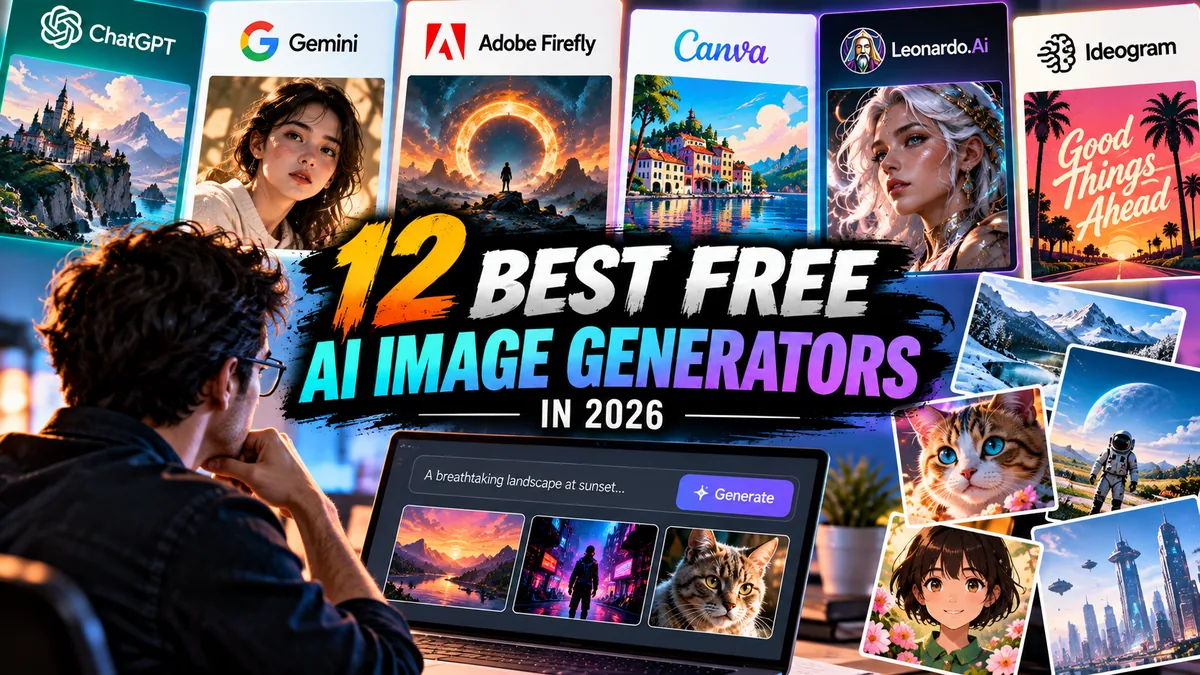
12 Best Free AI Image Generators in 2026
AI image generation is no longer limited to expensive creative software.
Some of the best free AI image generators in 2026 can create illustrations, concept art, social graphics, product concepts, backgrounds and photorealistic images without requiring an immediate paid subscription.
The catch is that “free” can mean very different things.
One platform might provide a recurring allowance of generations. Another may offer limited credits. Some reserve their strongest models or higher-resolution exports for paying users. Commercial-use rules can also differ significantly.
That means the best free option is not necessarily the tool that creates the flashiest first image.
It is the one that gives you enough usable generation capacity, creative control and appropriate usage rights for what you actually want to make.
For this guide, we compared the strongest free AI image generators based on image quality, prompt handling, free-plan usefulness, creative controls, workflow value, accessibility and limitations.
Best Free AI Image Generators: Quick Picks
| Rank | AI Image Generator | Best For | Free Access |
|---|---|---|---|
| 1 | ChatGPT | Best overall for conversational image creation | Yes |
| 2 | Google Gemini | Best for fast everyday image generation | Yes |
| 3 | Adobe Firefly | Best for designers and commercial workflows | Yes, limited credits |
| 4 | Microsoft Designer / Image Creator | Best simple free generator | Yes |
| 5 | Canva | Best for social media and design | Yes, limited AI use |
| 6 | Leonardo.Ai | Best for creative control | Yes, token-based |
| 7 | Ideogram | Best for text inside images | Yes, limited |
| 8 | Recraft | Best for design assets and graphics | Yes, limited |
| 9 | Freepik AI Image Generator | Best all-in-one creative ecosystem | Yes, limited |
| 10 | Playground | Best for experimentation | Free access available |
| 11 | Craiyon | Best for casual unlimited-style experimentation | Yes |
| 12 | Stable Diffusion | Best for open-model flexibility | Yes, if self-hosted |
Free allowances and model access can change, so always check the provider’s current plan before building a production workflow around a specific limit.
1. ChatGPT — Best Free AI Image Generator Overall
ChatGPT has evolved from a text-focused assistant into a broader creative workspace capable of generating and editing images conversationally.
That conversational workflow is its biggest advantage.
Instead of repeatedly rewriting a complicated prompt, you can generate an image and then continue with instructions such as:
“Make the background darker.”
“Change the jacket to black.”
“Remove the text.”
“Make this vertical for Instagram.”
That feels more natural than starting over after every generation.
Best for
Bloggers, social creators, marketers, small businesses and beginners who want an easy prompt-to-image workflow.
Strengths
- Natural conversational prompting
- Image generation and editing
- Good general-purpose image quality
- Strong instruction following
- Useful for iterative revisions
- Works inside a broader AI assistant
- Accessible to free users with usage limits
Limitations
Free users have tighter image-generation limits than paid subscribers.
It is also not a replacement for Photoshop or a professional vector-design application when pixel-level precision is required.
Free plan
ChatGPT’s free tier provides access to image generation subject to usage limits.
Those limits can vary as OpenAI adjusts model access and capacity.
Commercial considerations
Creators planning to use generated material commercially should still review current OpenAI terms and make sure their prompts and source material do not infringe third-party rights.
Who should use it?
Choose ChatGPT if you want one tool that can help develop the concept, write the prompt, generate the image and revise it through conversation.
2. Google Gemini — Best for Fast Everyday AI Images
Gemini has become one of the most accessible ways to generate images because image creation is integrated directly into Google’s AI assistant.
Its image capabilities are powered by Google’s image-generation technology, including its Nano Banana family of models.
The experience is similar to using an AI assistant rather than operating specialist creative software.
Describe what you want, generate it and continue refining through prompts.
Best for
Everyday users, bloggers, marketers and creators who already use Google’s AI ecosystem.
Strengths
- Simple conversational workflow
- Strong general image generation
- Image editing capabilities
- Useful prompt understanding
- Integrated with Gemini
- Easy entry point for non-designers
Limitations
Free access is governed by usage limits.
Some advanced capabilities and higher limits may depend on Google’s paid AI plans.
Like every generative image platform, difficult typography, complicated scenes and exact visual consistency can still require multiple attempts.
Free plan
Gemini provides free access to image-generation capabilities, subject to current usage limits and availability.
Who should use it?
Gemini is particularly attractive if you want AI image creation inside an assistant you may already use for research, writing and brainstorming.
3. Adobe Firefly — Best Free AI Image Generator for Designers
Adobe Firefly deserves attention because Adobe is integrating generative AI across its broader creative ecosystem.
Firefly supports text-to-image creation while also connecting naturally with applications such as Photoshop and Adobe Express.
That makes it especially relevant for creators who expect an AI-generated image to become the starting point rather than the finished product.
Best for
Graphic designers, marketers, Adobe users and commercial creative workflows.
Strengths
- Text-to-image generation
- Generative editing tools
- Adobe ecosystem integration
- Useful style controls
- Multiple Firefly models
- Generative Fill workflows
- Designed with commercial creative work in mind
Limitations
Adobe uses a generative-credit system.
Free users receive limited credits, while paid plans provide larger allowances and additional features.
Some partner AI models available inside Adobe products may also consume credits at different rates.
Free plan
Adobe currently offers a Firefly Free plan with limited generative credits.
Paid Firefly plans expand the monthly allowance and access to premium generative features.
Commercial considerations
Adobe has placed significant emphasis on commercially safer generative workflows and training its initial Firefly models on licensed and public-domain material.
That does not eliminate every legal consideration, however.
Businesses should still evaluate individual assets, trademarks, likenesses and their intended usage.
Who should use it?
Firefly makes the most sense when generated images will eventually move into Photoshop, Adobe Express or another professional creative workflow.
4. Microsoft Designer Image Creator — Best for Simple Free Generation
Microsoft has made AI image generation widely accessible through its consumer AI ecosystem.
Image Creator in Microsoft Designer provides a straightforward prompt-to-image experience without requiring users to learn complicated creative software.
It is particularly useful when you need a concept or social image quickly.
Best for
Beginners, casual creators, presentations, social content and fast concept generation.
Strengths
- Easy to use
- Microsoft account integration
- Straightforward prompt workflow
- Useful for quick concepts
- Connected to Microsoft’s broader AI ecosystem
Limitations
It offers less specialist control than platforms such as Leonardo or Recraft.
Generation speed and premium processing can also depend on the available credit or boost system.
Free access
Microsoft continues to provide a free route into AI image creation through its consumer services, although usage systems and model availability can evolve.
Who should use it?
Choose Microsoft’s image creator when simplicity matters more than advanced controls.
5. Canva — Best Free AI Image Generator for Social Media
Canva’s greatest advantage is not necessarily having the most sophisticated standalone image model.
It is what happens immediately after generation.
Create an image and you are already inside a design platform where it can become:
- an Instagram post;
- YouTube thumbnail;
- presentation;
- Facebook graphic;
- poster;
- flyer; or
- marketing asset.
That can eliminate several steps from a creator’s workflow.
Best for
Social media managers, small businesses, marketers, teachers and non-designers.
Strengths
- AI generation inside a full design platform
- Templates
- Social-media resizing
- Text and graphic tools
- Brand workflows
- Easy drag-and-drop interface
- Large stock-asset ecosystem
Limitations
AI generation on free accounts is limited.
Some premium templates, assets, AI tools and higher usage allowances require Canva Pro or another paid plan.
Free plan
Canva offers a permanent free design plan with limited access to its AI-powered tools.
The exact AI allowances can vary by feature.
Who should use it?
Canva is one of the strongest options when your AI-generated picture needs to become a finished piece of social or marketing content.
6. Leonardo.Ai — Best Free AI Image Generator for Creative Control
Leonardo.Ai is aimed more directly at people who want to experiment with AI art rather than simply request a picture from a chatbot.
It provides multiple generation models and creative controls that can make it useful for concept art, characters, game assets, product ideas and stylized illustrations.
Best for
Digital artists, game creators, concept designers and advanced AI-art enthusiasts.
Strengths
- Multiple image models
- Detailed creative controls
- Image generation and editing
- Strong stylized artwork
- Useful concept-art workflows
- Community-oriented creative ecosystem
Limitations
The interface can feel more complicated than ChatGPT, Gemini or Microsoft Designer.
Free generation is governed by a token system, so frequent experimentation eventually hits limits.
Free plan
Leonardo provides free users with a recurring token allowance.
Token consumption depends on the model, settings and generation features being used.
Commercial considerations
Do not assume that ownership, privacy and licensing are identical across free and paid plans.
Creators using Leonardo for client or commercial work should check the current terms applying to their specific subscription level.
Who should use it?
Leonardo is one of the better free choices when you want more control over how an image is generated rather than relying entirely on conversational prompts.
7. Ideogram — Best Free AI Image Generator for Text in Images
AI image generators historically struggled badly with text.
Letters became nonsense.
Words were misspelled.
Logos contained impossible typography.
Ideogram built much of its reputation around addressing that problem.
It is particularly useful for images where typography is part of the composition rather than something added later.
Best for
Poster concepts, social graphics, advertising concepts, signs and typography-heavy artwork.
Strengths
- Strong text rendering
- Poster-style generation
- Graphic-design concepts
- Good prompt adherence
- Useful style controls
- Image editing features
Limitations
Text is significantly better than earlier AI generators, but it is still wise to proofread everything.
Professional typography should normally be finalized in a design application rather than trusted blindly to an image model.
Free users also receive limited generation capacity compared with paid plans.
Free plan
Ideogram maintains a free entry tier with restricted generation allowances and features.
Who should use it?
If your prompt contains actual words that need to appear inside the generated image, Ideogram should be high on your shortlist.
8. Recraft — Best Free AI Generator for Design Assets
Recraft approaches generative imagery from a design perspective.
It is useful not only for conventional AI art but also for illustrations, graphic assets, icons and other visual material that may become part of a larger design.
That makes it particularly interesting to professional and semi-professional designers.
Best for
Designers, marketers, brand-content creators and people generating visual assets rather than standalone artwork.
Strengths
- Design-oriented workflow
- Raster image generation
- Vector-oriented creative capabilities
- Style control
- Image editing
- Useful for graphics and branded visual systems
Limitations
Free accounts have usage restrictions.
More importantly, creators should pay close attention to licensing differences between free and paid generations before using output in commercial client projects.
Free plan
Recraft offers free access through a credit-based system.
Paid plans increase generation capacity and can change rights and privacy conditions.
Commercial considerations
This is one platform where reading the plan-specific rights is particularly important.
If you are producing commercial work, verify the terms applying to images generated under your exact plan before publishing.
Who should use it?
Recraft is especially compelling when you think like a designer rather than simply an AI-art hobbyist.
9. Freepik AI Image Generator — Best for an All-in-One Creative Ecosystem
Freepik has evolved considerably beyond being a stock-image website.
Its AI tools now sit alongside stock photography, vectors, templates, icons and other creative assets.
That combination can be useful for creators who do not want their workflow fragmented across many websites.
Best for
Marketers, bloggers, social creators and designers already using Freepik assets.
Strengths
- AI image generation
- Creative asset ecosystem
- Image editing tools
- Multiple creative models and styles
- Stock imagery integration
- Useful for marketing workflows
Limitations
Free AI usage is restricted.
More powerful models, larger generation allowances and premium assets generally require paid access.
Free plan
Freepik provides limited free AI generation, while paid plans expand both AI and stock-asset access.
Because model availability and generation allowances change, check the current plan comparison before choosing Freepik primarily for AI.
Who should use it?
Freepik works particularly well when AI generation is only one part of a broader visual-content workflow.
10. Playground — Best for AI Image Experimentation
Playground has long focused on making generative image creation accessible through a visual web interface.
Rather than requiring users to install models locally, it provides an environment for experimenting with prompts, styles and creative image workflows.
Best for
AI-art enthusiasts, experimental creators and users who enjoy testing visual ideas.
Strengths
- Browser-based creation
- Easy experimentation
- Multiple creative workflows
- Useful for visual ideation
- More approachable than self-hosting AI models
Limitations
Plan structures and model availability have changed over time, which makes it important to verify the current free allowance before committing to a workflow.
It also competes in a market where ChatGPT, Gemini, Firefly and Canva increasingly combine generation with broader productivity tools.
Who should use it?
Playground is most useful for creators who enjoy experimenting with AI imagery rather than needing a full marketing or productivity suite.
11. Craiyon — Best for Casual Free AI Image Generation
Craiyon became popular partly because it made AI image generation extremely easy to try.
It remains useful for brainstorming and casual experimentation.
Enter a prompt, wait for the results and explore different visual directions.
Best for
Beginners, students, brainstorming and casual AI experimentation.
Strengths
- Extremely simple interface
- Low learning curve
- Easy experimentation
- Useful for rough visual ideas
- No professional creative knowledge required
Limitations
Image quality and prompt fidelity generally trail the strongest modern premium models.
Free usage may also involve slower processing, advertising or other restrictions.
It is better treated as an ideation tool than a professional production platform.
Free access
Craiyon continues to provide a free route to generation alongside paid options.
Who should use it?
Use Craiyon when you simply want to experiment with AI images without learning a complicated interface.
12. Stable Diffusion — Best for Open AI Image Generation
Stable Diffusion is different from most entries on this list.
It is not simply one website.
Stable Diffusion refers to an ecosystem of open image-generation models that can be run locally or accessed through various applications and services.
For technically comfortable creators, that can provide extraordinary flexibility.
Best for
Developers, AI enthusiasts, advanced creators and people who want local control.
Strengths
- Open-model ecosystem
- Can run locally on compatible hardware
- Extensive community tools
- Fine-tuning possibilities
- Custom models
- Advanced workflow control
- No per-image cloud charge when running locally
Limitations
Self-hosting is significantly more complicated than opening ChatGPT or Canva.
You may need:
- a capable GPU;
- local storage;
- model files;
- compatible software;
- technical setup; and
- knowledge of generation parameters.
Different Stable Diffusion models also have different licenses.
Is it really free?
Running compatible open models locally can eliminate a recurring generation fee.
But “free” does not mean zero cost.
You still provide the computer hardware, electricity, storage and setup time.
Commercial considerations
Check the specific license of the model you download.
Do not assume every community checkpoint or fine-tuned model carries identical commercial rights.
Who should use it?
Stable Diffusion is the strongest option here for technically capable users who value control and customization more than convenience.
Best Free AI Image Generator by Use Case
There is no single winner for every workflow.
Best overall
ChatGPT
Its conversational generation and editing workflow makes it particularly easy to move from idea to revised image.
Best for Google users
Gemini
It provides straightforward image generation inside Google’s broader AI assistant.
Best for designers
Adobe Firefly
Its integration with Adobe’s creative ecosystem is particularly useful when generated imagery needs additional professional editing.
Best for social media
Canva
Generating the picture inside the same platform used to build the final social post can save considerable time.
Best for text in AI images
Ideogram
It remains one of the most useful options when readable typography needs to be part of the generated composition.
Best for advanced creative control
Leonardo.Ai
Its model and generation controls give creators more flexibility than many chatbot-based generators.
Best for open-source flexibility
Stable Diffusion
Technically capable users can create extremely customized local workflows without paying per generation.
What Does “Free AI Image Generator” Actually Mean?
This is one of the most important distinctions to understand in 2026.
There are roughly four types of free AI image generators.
1. Free with usage limits
ChatGPT and Gemini can provide image generation to free users but restrict how much you can use the feature.
2. Free with recurring credits
Platforms such as Adobe Firefly and Leonardo may provide credits or tokens that determine how many AI operations you can perform.
3. Freemium creative platforms
Canva, Freepik and similar products provide a useful free ecosystem but reserve many advanced assets and features for paid customers.
4. Open models
Stable Diffusion can potentially run on your own computer without paying for every image.
The tradeoff is hardware and complexity.
Understanding which model applies prevents the frustrating discovery that a supposedly “free” generator stops being useful after a few prompts.
Free AI Image Generators vs Paid Tools
A free AI image generator is often enough for:
- brainstorming;
- mood boards;
- personal projects;
- blog illustrations;
- rough concepts;
- presentation ideas;
- social-media experiments;
- learning prompt writing; and
- occasional image generation.
Paying becomes easier to justify when AI imagery is part of your business.
Paid plans can provide:
- more generations;
- faster processing;
- premium models;
- higher resolution;
- private generation;
- advanced editing;
- larger commercial allowances;
- team features; and
- more predictable production capacity.
The key word is predictable.
If you need 100 images for a client campaign by Friday, relying on an unpredictable free quota is risky.
If you need three concept images for a blog article, the free tier may be perfectly adequate.
Which Free AI Image Generator Produces the Best Quality?
Image quality is no longer determined by one simple leaderboard.
Different models excel at different tasks.
A generator that produces an excellent photorealistic portrait may perform poorly when asked for typography.
Another might produce excellent graphic-design assets but struggle with complicated natural scenes.
That is why practical testing matters more than screenshots from carefully selected promotional examples.
When comparing tools, try the same categories of prompts:
Photorealism:
A realistic editorial photograph with specific lighting and lens instructions.
Illustration:
A detailed stylized scene with several characters.
Typography:
A poster containing exact text.
Composition:
A subject positioned on one side with negative space for a headline.
Editing:
Generate an image and then request a precise modification.
You may discover that the “best” generator changes depending on the task.
Can You Use Free AI-Generated Images Commercially?
Sometimes.
But never assume “free to generate” automatically means “unrestricted commercial use.”
There are at least three separate issues.
Platform terms
The provider may apply different rights or restrictions depending on your plan.
Model license
Open models can have their own licenses.
Third-party rights
An AI platform giving you permission to use its output does not magically grant rights to someone else’s trademark, copyrighted character or protected likeness.
For example, asking for an original fantasy warrior is different from requesting an exact reproduction of a famous movie character for merchandise.
Businesses should review the provider’s current terms and use original creative direction rather than relying heavily on protected third-party intellectual property.
How to Get Better Results From Free AI Image Generators
Better prompting can often improve results more than switching tools.
Instead of writing:
“Make a business image.”
Try describing:
- subject;
- setting;
- composition;
- lighting;
- camera angle;
- visual style;
- colors;
- mood;
- aspect ratio; and
- what should not appear.
For example:
“Create a wide 16:9 editorial photograph of a small-business owner working at a modern desk, laptop positioned on the left, warm window light, realistic skin texture, subtle depth of field, clean office background, negative space on the right for a headline, professional commercial photography.”
That gives the model far more useful visual direction.
Common Problems With Free AI Image Generators
AI imagery has improved rapidly, but recurring problems remain.
Incorrect text
Always proofread generated words.
Anatomy errors
Hands, fingers and complicated poses can still fail.
Inconsistent characters
Generating the same fictional person repeatedly across different scenes remains challenging on many platforms.
Overly polished AI appearance
Generic prompts can produce images that look obviously synthetic.
More specific art direction usually helps.
Incorrect details
AI image generators create pixels; they do not guarantee factual accuracy.
Do not trust them to correctly reproduce technical equipment, historical uniforms, maps, medical diagrams or product specifications without verification.
Are Free AI Image Generators Safe for Bloggers?
They can be extremely useful for bloggers when used carefully.
Instead of relying on generic stock imagery for every article, AI can help create:
- conceptual featured images;
- illustrations;
- abstract backgrounds;
- visual metaphors;
- fictional scenes; and
- supporting graphics.
But AI images should not be used to fabricate evidence.
For example, do not generate an image of a real event and present it as documentary photography.
Editorial transparency becomes especially important when synthetic imagery could reasonably be mistaken for evidence of something that actually happened.
Frequently Asked Questions
What is the best free AI image generator in 2026?
ChatGPT is one of the strongest overall choices because it combines image generation with conversational editing and broader AI-assistant functionality.
Gemini, Adobe Firefly, Microsoft Designer, Canva, Leonardo.Ai and Ideogram are also strong choices depending on the task.
Is there a completely free AI image generator?
Yes, but “completely free” requires context.
Some services provide free generation with usage restrictions. Open models such as Stable Diffusion can also be run locally without paying per image, although you need suitable computer hardware.
What is the best free AI image generator for beginners?
ChatGPT, Gemini and Microsoft Designer are among the easiest starting points because you can describe what you want in ordinary language without learning complex generation controls.
What is the best free AI image generator for social media?
Canva is particularly useful because generated images can immediately be placed into social templates, combined with text and resized for different platforms.
What is the best free AI image generator for text?
Ideogram is a strong choice when readable text needs to appear directly inside the generated image.
Always proofread generated typography before publishing.
What is the best free AI image generator for commercial use?
Adobe Firefly is worth considering for commercial creative workflows because Adobe has deliberately positioned Firefly around commercially useful content creation.
However, commercial rights depend on the provider, model, plan and content being generated. Always verify current terms for your specific use case.
Can I generate unlimited AI images for free?
Cloud-based generators usually impose some combination of usage limits, credits, slower queues or feature restrictions.
Running an open model locally can remove per-generation cloud fees, but hardware and electricity still have costs.
Is Stable Diffusion free?
Many Stable Diffusion models can be downloaded and run locally under their applicable licenses.
You need suitable hardware and should check the license of the exact model you intend to use.
Are free AI image generators good enough for professional work?
They can be.
The more important question is whether the specific output meets your professional requirements.
Client work may also require predictable generation capacity, privacy, commercial licensing, high resolution and advanced editing—areas where paid plans can become more practical.
Can I use AI images on my website?
Generally, AI-generated imagery can be used on websites when the applicable platform terms permit your intended use and the image does not violate third-party rights.
For editorial sites, avoid presenting synthetic images as authentic documentary photographs of real events.
Final Thoughts
The best free AI image generators in 2026 are no longer just technology demonstrations.
They are practical creative tools.
For most users, ChatGPT offers the strongest balance of accessibility, generation and conversational editing.
Gemini is an excellent alternative for people already working inside Google’s ecosystem.
Adobe Firefly makes particular sense for designers and Adobe users.
Canva is difficult to beat for turning AI imagery into finished social-media graphics.
Ideogram deserves attention when typography matters.
Leonardo.Ai gives creative users more generation controls.
And Stable Diffusion remains compelling for advanced users who want the freedom of a local, customizable open-model workflow.
The best strategy is not necessarily choosing one generator forever.
Use free tiers to discover which tool fits the kind of images you actually create.
Then pay only when higher limits, better workflow integration or commercial requirements make the upgrade genuinely useful.


