
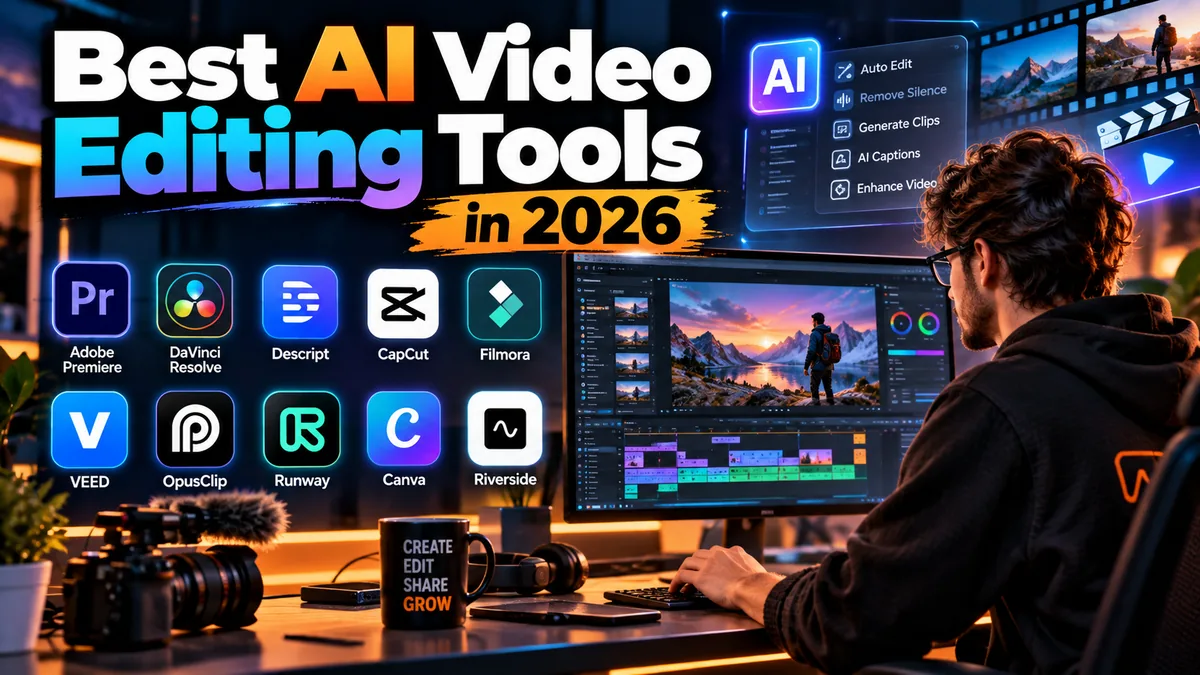
10 Best AI Video Editing Tools in 2026: Ranked for Creators
Video editing used to mean spending hours trimming footage, cleaning audio, creating captions, reframing clips and searching for the right B-roll.
Artificial intelligence is changing that workflow.
The best AI video editing tools in 2026 can now transcribe footage, remove filler words, isolate voices, generate captions, find highlights, reframe horizontal video for vertical platforms, create rough cuts and even generate missing footage.
But there is an important distinction.
Some products are professional video editors that use AI to accelerate difficult tasks. Others are AI-first tools designed to turn podcasts into Shorts or let beginners edit videos through text.
That means the best choice depends less on which product has the most AI features and more on what kind of video you actually create.
This guide compares 10 of the best AI video editing tools in 2026 based on practical workflow value, editing capabilities, AI automation, ease of use, pricing and the type of creator each platform serves.
Best AI Video Editing Tools in 2026: Quick Picks
| Rank | Tool | Best For | Free Option | Paid Starting Point* |
|---|---|---|---|---|
| 1 | Adobe Premiere | Professional AI-assisted editing | Trial + free mobile app | $22.99/month |
| 2 | DaVinci Resolve | Best free professional editor | Yes | Studio: $295 |
| 3 | Descript | Text-based AI video editing | Yes | From $24 monthly |
| 4 | CapCut | Reels, TikTok and Shorts | Yes | Varies by region |
| 5 | Filmora | Beginners and YouTube creators | Yes, limited | From $49.99/year |
| 6 | VEED | Browser-based AI editing | Yes | From $19/month |
| 7 | OpusClip | Turning long videos into Shorts | Yes | $15/month |
| 8 | Runway | Generative AI video workflows | Limited | Credit-based |
| 9 | Canva | Marketing and social videos | Yes | Pro available |
| 10 | Riverside | Podcast and interview workflows | Limited | Paid plans available |
*Pricing can vary by country, platform, taxes, promotions and billing cycle. Always confirm current pricing before subscribing.
1. Adobe Premiere — Best Overall AI Video Editor for Professionals
Adobe Premiere remains one of the most complete choices for professional editors who want AI integrated into a traditional non-linear editing workflow.
The important difference between Premiere and many AI-first editors is control.
AI helps accelerate individual tasks, but editors still have access to a sophisticated timeline, color tools, effects, audio mixing, titles and professional media workflows.
Adobe has also expanded its Firefly-powered generative capabilities.
One particularly useful feature is Generative Extend, which can generate additional video frames or ambient audio at the beginning or end of a clip. This can help when an editor needs a reaction shot to last slightly longer, wants additional room for a transition or needs to cover an awkward camera movement.
Premiere also includes Text-Based Editing, allowing dialogue-heavy footage to be edited through a transcript.
Best for
Professional editors, YouTubers, filmmakers, agencies, commercial video teams and creators who need detailed timeline control.
AI and workflow highlights
- Text-Based Editing
- Generative Extend
- AI-assisted search and media discovery
- Speech-to-text workflows
- Caption generation
- Audio enhancement tools
- Professional timeline editing
- Integration with Adobe’s broader creative ecosystem
Strengths
Premiere provides something many AI video tools cannot: a serious professional editor underneath the automation.
You can let AI accelerate repetitive work without surrendering detailed control over timing, effects, audio, color and storytelling.
Limitations
Premiere has a considerably steeper learning curve than CapCut, VEED or Descript.
Some generative capabilities also consume Adobe generative credits and require cloud processing.
Pricing
Adobe currently lists Premiere at $22.99 per month for individuals on an annual plan billed monthly. The plan includes Premiere for desktop and mobile, Adobe Express Premium, Frame.io, 100GB of cloud storage and 25 monthly generative credits.
A seven-day desktop trial is available, while Premiere’s standalone mobile application can be used free.
Who should choose it?
Choose Adobe Premiere when AI should assist a professional editing workflow rather than replace it.
2. DaVinci Resolve — Best Free Professional AI Video Editor
DaVinci Resolve is an unusually strong proposition because its free version is already a serious professional video editor.
Blackmagic Design currently lists DaVinci Resolve 21 as the current generation.
Resolve combines editing, visual effects, motion graphics, color correction and Fairlight audio post-production inside one application for Windows, macOS and Linux.
The paid Studio version adds the DaVinci Neural Engine and additional AI-powered capabilities.
These include tools for tasks such as automatic region tracking, voice isolation, advanced noise reduction and other accelerated workflows.
Earlier AI additions have also demonstrated how deeply Blackmagic is integrating machine learning into editing. AI IntelliScript, for example, can use transcription to help construct a timeline from a written script.
Best for
Filmmakers, YouTubers, professional editors, colorists and creators wanting professional software without a recurring subscription.
Strengths
- Excellent free version
- Professional timeline editing
- Industry-leading color workflow
- Fusion visual effects
- Fairlight audio tools
- Neural Engine features in Studio
- Windows, macOS and Linux support
- One-time Studio purchase
Limitations
Resolve is powerful, but beginners may find it intimidating.
Many of its more sophisticated AI features also require the paid Studio edition and capable hardware.
Pricing
DaVinci Resolve 21: Free
DaVinci Resolve Studio 21: $295 one-time purchase
That pricing model makes Resolve particularly attractive to creators who dislike recurring software subscriptions.
Who should choose it?
Choose DaVinci Resolve if you want a professional editor, strong free functionality and room to grow into advanced color, audio and AI workflows.
3. Descript — Best AI Video Editor for Editing by Text
Descript takes a fundamentally different approach to editing.
Instead of making creators work primarily through a timeline, it transcribes the recording and lets them edit the video much like they would edit a document.
Delete a sentence from the transcript and the corresponding footage can be removed.
That approach is especially useful for podcasts, tutorials, interviews and talking-head videos.
Descript’s Underlord AI co-editor pushes the concept further. It can assist with tasks such as rough cuts, filler-word removal, clip selection, B-roll, Studio Sound and other editing operations.
Best for
Podcasters, talking-head YouTubers, educators, interview creators and creators who dislike traditional timeline editing.
Key AI tools
- Underlord AI co-editor
- Text-based editing
- Studio Sound
- Filler-word removal
- Eye Contact
- Clip generation
- Green Screen
- Automatic multicam
- AI-generated media
- AI speech tools
Strengths
Descript can significantly simplify editing when the video’s structure revolves around spoken words.
It is one of the most approachable ways to edit podcasts and presenter-led videos.
Limitations
It is not a replacement for Premiere or Resolve when a project requires complicated timelines, advanced compositing or precise cinematic editing.
AI usage is also controlled through credits on current plans.
Pricing
Descript offers a Free plan with limited media time and AI usage.
When billed monthly:
Hobbyist: $24 per person/month
Creator: $35 per person/month
Business: $65 per person/month
Annual billing lowers the effective monthly prices.
Who should choose it?
If most of your editing involves someone speaking to a camera or microphone, Descript can eliminate a surprising amount of repetitive work.
4. CapCut — Best AI Video Editor for TikTok, Reels and Shorts
CapCut remains one of the most practical editing platforms for social-first creators.
Its advantage is speed.
Creators can combine timeline editing, captions, templates, effects, music, transitions and AI features without building a complicated professional editing environment.
That makes it particularly useful for TikTok, Instagram Reels and YouTube Shorts.
CapCut’s paid plans have also expanded their AI allowances. Its updated Pro membership currently includes 1,200 AI credits according to CapCut’s official support documentation.
Best for
TikTok creators, Instagram creators, Shorts channels, influencers and social media managers.
Strengths
- Automatic captions
- Social-friendly templates
- AI-powered editing features
- Fast vertical-video workflow
- Desktop and mobile editing
- Cloud features
- Beginner-friendly interface
Limitations
Professional editors may eventually outgrow CapCut’s workflow when they need sophisticated color, audio, project management or complex timeline control.
Pricing is another consideration.
CapCut explicitly states that subscription pricing can vary by region, device and available promotions, while checkout totals can also reflect taxes and platform differences.
For that reason, a single global CapCut Pro price would be misleading.
Pricing
CapCut provides free editing functionality and paid membership options.
Check the current subscription screen for your region and device for the actual Pro price.
Who should choose it?
CapCut is an excellent choice when the final destination is primarily TikTok, Instagram, YouTube Shorts or other fast-moving social platforms.
5. Filmora — Best AI Video Editor for Beginners Who Want a Timeline
Wondershare Filmora sits between basic social editors and complex professional software.
It uses a familiar timeline but keeps the interface significantly more approachable than many professional editors.
Filmora has also integrated a growing set of AI-assisted features, including Smart Short Clips, Smart Scene Cut, speech-to-text, text-to-speech, AI Video Enhancer and AI music-related tools.
Best for
Beginning YouTubers, small businesses, educators and creators graduating from simple mobile editors.
Strengths
- Accessible timeline
- AI-assisted editing tools
- 4K export on paid plans
- Large creative-asset ecosystem
- Smart short-form workflows
- Speech-to-text
- AI Video Enhancer
- Easier learning curve than many professional editors
Limitations
Filmora’s product structure can become confusing because software plans, AI credits and creative assets may involve different allowances or subscriptions.
Creators should review the checkout carefully rather than assuming every advertised asset or AI feature is unlimited.
Pricing
Current US pricing lists Filmora’s Basic annual plan at $49.99/year and Advanced at $59.99/year.
Advanced includes 1,000 monthly AI credits and additional cloud storage.
A perpetual option is also available, although perpetual licensing applies to the specified Filmora version rather than guaranteeing every future major version.
Who should choose it?
Filmora is a good middle ground for creators who want traditional timeline editing without Premiere or Resolve’s steeper learning curve.
6. VEED — Best Browser-Based AI Video Editor
VEED is useful when installing heavyweight desktop software feels unnecessary.
Its editor runs in the browser and combines traditional editing with AI tools for captions, audio cleanup, text-based editing, B-roll and content generation.
Its Auto Edits workflow can automate several repetitive operations, while creators can also turn longer material into short-form content.
VEED has expanded beyond editing into generative video as well, with access to AI models through its AI Playground.
Best for
Marketing teams, educators, businesses, social creators and people working across multiple devices.
Strengths
- Browser-based workflow
- Automatic subtitles
- Text-based editing
- AI B-roll
- Audio cleanup
- Auto Edits
- Short-form repurposing
- AI video generation
- Works across major desktop operating systems through a browser
Limitations
The free plan has meaningful restrictions.
Free exports are limited to 720p and include a watermark. AI availability and credit allowances can also differ by plan and region.
Desktop editors remain preferable for demanding long-form projects involving large amounts of high-resolution footage.
Pricing
VEED offers a free plan.
Its official video-editor page currently states that paid plans start at approximately $9/month when billed annually or $19/month when billed monthly, although plan structure and AI credit allowances should be confirmed at checkout.
Who should choose it?
VEED makes sense for creators who value convenience, collaboration and browser access more than deep professional timeline control.
7. OpusClip — Best AI Tool for Turning Long Videos Into Shorts
OpusClip should not be confused with a full replacement for Premiere or Resolve.
Its value is specialization.
Upload a long podcast, interview, webinar or YouTube video and OpusClip can identify potential short clips, create captions, reframe footage and prepare content for vertical social platforms.
That makes it especially useful for creators already producing long-form content.
Best for
Podcasters, YouTubers, interview channels, agencies and creators repurposing long videos.
Strengths
- AI clip discovery
- Automatic reframing
- Animated captions
- Filler and silence removal
- Social publishing
- Multiple aspect ratios on Pro
- AI B-roll
- Premiere and DaVinci Resolve export support on Pro
Limitations
AI-selected clips still require editorial review.
A system can identify a technically engaging segment without understanding whether it represents your message accurately or fits your audience.
The Free plan is also heavily restricted.
Pricing
Free: 60 credits/month
Starter: $15/month for 150 credits
Pro: $29/month or $14.50/month equivalent when billed annually at the currently listed annual rate
The free tier includes watermarked exports and additional limitations.
Who should choose it?
If you already create podcasts, webinars or long YouTube videos, OpusClip can be more valuable than another general video editor because it solves the specific repurposing bottleneck.
8. Runway — Best for Generative AI Video Editing and Transformation
Runway approaches video differently from conventional editors.
Its strength is generative media.
Creators can use its AI models to generate or transform visual material, making it particularly interesting for filmmakers, advertisers, music-video creators and experimental storytellers.
Runway can complement a traditional editor rather than necessarily replacing one.
For example, a creator might generate a shot in Runway, assemble the final sequence in Premiere and complete color or audio work elsewhere.
Best for
AI filmmakers, creative agencies, advertisers, visual artists and experimental creators.
Strengths
- Generative video
- Image-to-video workflows
- Creative video transformations
- Multiple AI models
- Useful for creating shots that would otherwise require production
- Strong experimentation potential
Limitations
Generative video consumes credits quickly.
Repeated attempts may be necessary to achieve the intended motion, framing or consistency.
It also should not be viewed as a direct substitute for a complete professional timeline editor.
Pricing
Runway operates primarily around generation credits.
Its Free plan provides a limited one-time credit allocation, while paid plans provide larger monthly allowances.
Runway is also transitioning high-generation users from its older Unlimited plan to its newer Max plan during 2026, so creators should check the current pricing page before subscribing.
Who should choose it?
Runway makes the most sense when you need AI to create or transform footage, not merely cut footage you already recorded.
9. Canva — Best for Simple Marketing and Social Videos
Canva is not usually the first product professional filmmakers think of when discussing video editing.
For marketers and small businesses, however, that misses the point.
Canva’s strength is quickly combining video clips with branded text, graphics, templates, stock assets, animations and AI-assisted creation.
Its AI video tools can also help transform uploaded media into polished promotional or social content.
Best for
Small businesses, marketers, social media managers, educators and non-editors.
Strengths
- Extremely accessible interface
- Huge template ecosystem
- Brand tools
- Stock assets
- Social-media formats
- AI-assisted creation
- Easy combination of video and graphic design
Limitations
Canva does not provide the timeline depth, audio control, color workflow or compositing capabilities expected from Premiere or Resolve.
Pricing
Canva provides a Free plan.
AI usage is limited on free accounts, while Canva Pro and higher tiers provide expanded access to premium design assets, features and AI allowances.
Who should choose it?
Choose Canva when video is one part of a broader marketing-content workflow rather than your primary production discipline.
10. Riverside — Best for AI-Assisted Podcast and Interview Video Workflows
Riverside is primarily known as a recording platform, but recording and post-production increasingly overlap.
For podcasters and interview creators, that combination can be useful.
Instead of recording in one application, transferring large files into another editor and manually finding social clips afterward, creators can keep more of the workflow together.
AI-assisted features such as clip creation are particularly relevant for converting interviews and podcasts into social content.
Best for
Video podcasters, remote interviews, webinars and business-content creators.
Strengths
- Recording and editing workflow
- Podcast-friendly production
- AI-assisted clips
- Transcription
- Social-content repurposing
- Useful for remote interviews
Limitations
Riverside should primarily be considered when recording is part of the workflow.
Creators working with cinematic footage, advanced visual effects or sophisticated color grading will still need a more traditional editor.
Pricing
Riverside offers multiple subscription tiers, with feature limits varying across recording, editing, transcription and AI functionality.
Because plan structures and promotional pricing can change, creators should check current pricing and included hours before subscribing.
Who should choose it?
Riverside is most compelling for creators who want recording, transcription, editing and repurposing to live closer together.
Best AI Video Editing Software by Use Case
Choosing one universal winner misses how different modern video workflows have become.
Best for professional video editing
Adobe Premiere
Choose it when you need professional timeline control alongside modern AI automation.
Best free professional editor
DaVinci Resolve
The free edition offers substantially more professional functionality than most free video editors.
Best for podcast editing
Descript
Editing spoken video through transcripts can dramatically reduce repetitive cutting.
Best for TikTok and Instagram Reels
CapCut
Its social-first workflow, templates and caption tools make it especially efficient for vertical content.
Best for beginners
Filmora
It provides a traditional timeline without the same learning curve as high-end professional editors.
Best online AI editor
VEED
Its browser workflow makes it accessible across devices without a traditional desktop installation.
Best for converting podcasts into Shorts
OpusClip
It focuses specifically on finding, reframing and packaging clips from longer recordings.
Best for generative video
Runway
Runway is strongest when the AI needs to create or transform visual material.
AI Video Editor vs Traditional Video Editor: What’s the Difference?
The line is becoming increasingly difficult to draw.
Premiere and DaVinci Resolve are traditional professional editors that increasingly incorporate AI.
Descript takes the opposite approach: AI and transcription fundamentally shape the editing interface.
Then there are specialized products such as OpusClip, which automate a specific part of the workflow.
The practical distinction is therefore not whether an editor “has AI.”
Nearly every major editing platform is adding machine-learning capabilities.
The more important question is:
How much control do you want the AI to have?
Professional editors typically want AI to accelerate repetitive tasks while preserving manual control.
High-volume social creators may prefer stronger automation if it allows them to publish more quickly.
What AI Can Actually Automate in Video Editing
AI video editing has moved well beyond automatic captions.
Depending on the software, AI can now assist with:
- transcription;
- text-based cutting;
- silence removal;
- filler-word removal;
- automatic captions;
- voice isolation;
- noise reduction;
- subject tracking;
- background removal;
- reframing;
- short-clip discovery;
- B-roll selection;
- rough cuts;
- translation and dubbing;
- footage enhancement;
- generative video; and
- extending existing footage.
The important word is assist.
AI can reduce mechanical editing work, but story structure, pacing, emotion, context and taste still benefit heavily from human judgment.
How to Choose the Best AI Video Editing Tool
Start With What You Create
A podcast editor and a filmmaker do not need the same software.
For interviews and podcasts, transcription-based editing can save enormous amounts of time.
For cinematic projects, timeline precision, color, effects and audio control matter more.
For TikTok creators, speed, captions and vertical formatting may matter most.
Consider the Entire Workflow
Do not evaluate a tool based on one impressive AI feature.
Consider:
- importing footage;
- organizing media;
- editing;
- audio cleanup;
- captions;
- graphics;
- color;
- collaboration;
- export quality;
- publishing; and
- archiving.
The fastest AI feature is less valuable if the rest of the workflow becomes slower.
Understand AI Credits
Many AI video tools now use credits.
That matters because video generation and advanced AI processing can consume allowances much faster than simple text generation.
Before subscribing, determine what consumes credits and how much typical projects will cost.
Check Commercial Rights
Creators producing monetized YouTube videos, client campaigns or advertisements should review licensing carefully.
Check the commercial-use rules covering:
- generated footage;
- stock assets;
- music;
- templates;
- AI voices; and
- third-party AI models.
A paid subscription does not automatically mean every asset can be used without restrictions.
Test Before Migrating Your Workflow
Changing editors is expensive in another way: time.
Before moving your entire production system to a new AI editor, use it for one real project.
Measure whether it genuinely reduces editing time.
Free vs Paid AI Video Editors
Creators do not necessarily need to pay immediately.
DaVinci Resolve is particularly notable because its free version is capable of serious professional editing.
CapCut, Descript, VEED, Canva and several other platforms also provide free access with varying restrictions.
Paid plans become worthwhile when free limitations interfere with actual publishing.
Common reasons to upgrade include:
- watermarks;
- export resolution;
- AI credit limits;
- transcription limits;
- cloud storage;
- commercial features;
- collaboration;
- advanced effects; and
- higher production volume.
Do not pay for AI merely because it exists.
Pay when it removes a measurable production bottleneck.
Are AI Video Editors Replacing Human Editors?
AI is clearly automating parts of post-production.
That does not mean every part of editing has become automatic.
Cutting silence is a mechanical decision.
Knowing when silence makes a scene more powerful is an editorial decision.
AI can identify words in a transcript. It cannot consistently understand the full emotional, cultural and narrative context behind every edit.
Professional editing is ultimately about deciding what the viewer should see, hear and feel next.
AI can help execute that decision faster.
That is a much more realistic way to understand AI video editing in 2026.
Frequently Asked Questions
What are the best AI video editing tools in 2026?
Adobe Premiere, DaVinci Resolve, Descript, CapCut, Filmora, VEED, OpusClip, Runway, Canva and Riverside are among the strongest options for different creator workflows. The right choice depends on whether you need professional editing, social video, podcast editing, generative video or automated repurposing.
What is the best AI video editor overall?
Adobe Premiere is one of the strongest choices for professional editing because it combines detailed timeline control with AI-assisted and generative workflows. Beginners or social creators may find Descript, CapCut or Filmora easier to use.
What is the best free AI video editor?
DaVinci Resolve is particularly compelling because its free version provides professional editing, color, visual-effects and audio capabilities. Some advanced AI features require DaVinci Resolve Studio.
What is the best AI video editor for YouTube?
Premiere and DaVinci Resolve are strong options for advanced YouTube production. Filmora provides a more beginner-friendly workflow, while Descript works particularly well for talking-head and educational channels.
What is the best AI video editor for TikTok?
CapCut is particularly well suited to TikTok, Reels and Shorts because of its vertical-video workflow, captions, templates and social-focused editing features.
Can AI automatically edit videos?
Yes, to a degree.
Modern AI editors can automatically transcribe footage, remove silences, identify clips, create captions, clean audio, reframe footage and perform other editing operations.
Complex storytelling still benefits from human review.
Can AI turn a long video into Shorts?
Yes. Tools such as OpusClip and Descript can identify shorter segments from long-form footage and help reformat them for vertical social platforms.
Is there an AI video editor without a subscription?
DaVinci Resolve has a capable free version, while DaVinci Resolve Studio is currently sold as a $295 one-time purchase rather than a recurring software subscription.
Is AI video editing safe for commercial content?
It can be, but commercial-use rights depend on the software, plan, generated asset and underlying media.
Review licensing terms before publishing AI-generated video, music, voices or stock assets commercially.
Will AI video editors replace Premiere and DaVinci Resolve?
AI is more likely to change professional editors than eliminate them in the near term.
Both Adobe and Blackmagic Design are already incorporating AI directly into their editing platforms, allowing editors to automate selected tasks while maintaining manual control over professional projects.
Final Thoughts
The best AI video editing tools in 2026 fall into three broad categories.
Professional editors such as Adobe Premiere and DaVinci Resolve use AI to make sophisticated post-production faster.
AI-first editors such as Descript rethink the editing process around transcripts, prompts and automation.
Specialized tools such as OpusClip and Runway solve narrower problems extremely well, from repurposing long-form content to generating entirely new footage.
For professional video work, Premiere and DaVinci Resolve remain strong starting points. Social creators should consider CapCut, while beginners may find Filmora easier to learn. Podcasters and talking-head creators should look closely at Descript, and creators producing Shorts from existing long-form content may get more value from OpusClip than from another full editor.
The most useful AI video editor is not the one that automates the most.
It is the one that automates the repetitive work without taking away the creative control you actually need.


