
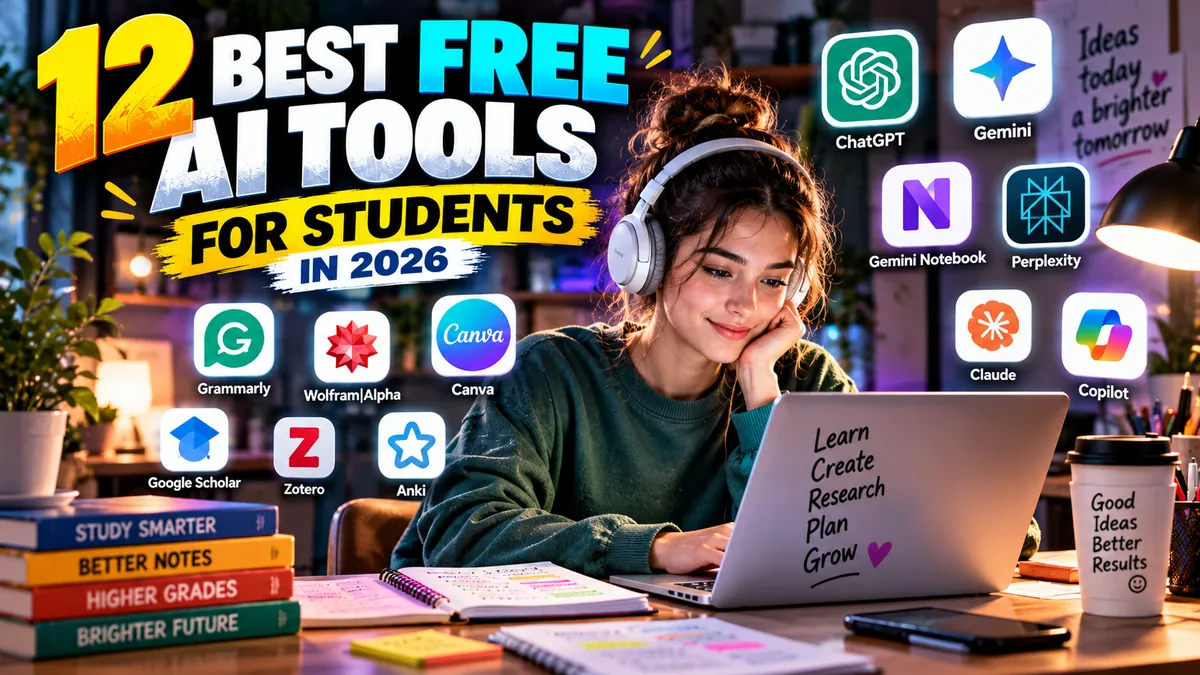
12 Best Free AI Tools for Students in 2026
AI can explain calculus at midnight, turn a 40-page reading into a study guide, quiz you before an exam, help organize research sources, improve a rough essay and transform class notes into something you can actually revise from.
But there is an important difference between using AI to learn and using AI to avoid learning.
The best free AI tools for students are most valuable when they act as tutors, research assistants, writing coaches and productivity tools—not when they simply generate work to submit unchanged.
That distinction matters even more in 2026.
Universities and schools are developing clearer policies around generative AI, while AI platforms are increasingly building education-specific features around guided learning, source-based research, quizzes and study planning.
We compared the leading options based on their free access, usefulness for real academic workflows, research capabilities, writing and reasoning support, source transparency, platform availability, free-plan limitations and overall value for students.
Here are the 12 best free AI tools for students in 2026.
Best Free AI Tools for Students: Quick Comparison
| Rank | Tool | Best For | Free Access | Main Limitation |
|---|---|---|---|---|
| 1 | ChatGPT | Best overall AI study assistant | Yes | Usage/features have free-tier limits |
| 2 | Gemini | Studying + Google ecosystem | Yes | Advanced features have plan/usage limits |
| 3 | Gemini Notebook | Studying your own sources | Yes | Best when you provide quality source material |
| 4 | Perplexity | Research and source discovery | Yes | Advanced searches/models are limited |
| 5 | Claude | Reading, explanations and writing | Yes | Free usage is limited |
| 6 | Microsoft Copilot | Web research + Microsoft users | Yes | Advanced Microsoft 365 integration may require eligible plans |
| 7 | Grammarly | Writing improvement | Yes | Advanced features require paid access |
| 8 | Wolfram|Alpha | Math and computational questions | Yes | Advanced step-by-step features may require Pro |
| 9 | Canva | Presentations and visual assignments | Yes | Premium/AI access depends on account type |
| 10 | Google Scholar | Finding academic literature | Yes | Search tool rather than full AI assistant |
| 11 | Zotero | Research and citation management | Yes | Not primarily a generative AI assistant |
| 12 | Anki | Flashcards and spaced repetition | Yes on desktop/web ecosystem | AI functionality is not its core strength |
Best overall: ChatGPT
Best for research: Perplexity
Best for studying your own notes: Gemini Notebook
Best for math: Wolfram|Alpha
Best for writing: Grammarly + Claude
Best for presentations: Canva
Best for citations and research organization: Zotero
1. ChatGPT
Best overall free AI tool for students
ChatGPT takes our No. 1 position because it can cover more stages of a student’s workflow than almost any single-purpose tool.
Students can use it to:
- explain difficult concepts;
- create practice questions;
- summarize uploaded material;
- brainstorm research questions;
- improve writing;
- practice languages;
- troubleshoot code;
- analyze images and documents;
- build study schedules; and
- work through problems interactively.
The key feature for students is Study Mode.
Rather than simply giving you an answer, Study Mode is designed to guide you through a subject using questions, explanations and checks for understanding.
That makes it much more useful educationally than treating an AI chatbot as an answer machine.
Why ChatGPT ranks No. 1
Versatility.
A biology student and a computer-science student can use the same platform in completely different ways.
For example, instead of asking:
“Give me the answer to this statistics problem.”
Try:
“Teach me how to solve this statistics problem step by step. Ask me what I think the next step should be before revealing it.”
That changes AI from a shortcut into a tutor.
Is ChatGPT free for students?
ChatGPT has a permanent free tier, although usage limits and access to particular capabilities can differ from paid plans.
There is also a separate 2026 Back to School promotion for eligible U.S. college and graduate students.
Eligible students can receive four free monthly billing periods of ChatGPT Plus after verification. The promotion must be claimed by October 31, 2026, and Plus normally renews at $20 per month afterward unless cancelled.
That promotion should not be confused with the permanent ChatGPT Free plan.
Best for: Almost every student who wants one flexible AI assistant.
Main limitation: Advanced capabilities and higher usage remain subject to plan limits.
Verdict: The best starting point for most students.
2. Google Gemini
Best AI study tool for Google users
Gemini has become increasingly education-focused in 2026.
Google introduced dedicated study notebooks designed to turn Gemini into an adaptive learning environment.
Students can upload a syllabus, notes or course material, identify learning goals and work through personalized lessons and quizzes.
That is much more useful than simply asking a chatbot random questions before an exam.
Why Gemini is excellent for students
Gemini fits naturally into Google’s broader ecosystem.
Students who already spend their academic lives around Google Docs, Drive, Search and related services may find the workflow particularly convenient.
Useful student applications include:
- explaining concepts;
- creating study plans;
- brainstorming;
- researching topics;
- analyzing uploaded material;
- generating quizzes;
- organizing projects; and
- preparing for exams.
Google student offers in 2026
Google is also running student-specific AI promotions in selected markets.
For example, Google announced a one-year Google AI plan offer for eligible college students in 2026, with eligibility and plan details varying by country.
Students should check the current offer in their region rather than assuming the same promotion applies globally.
Best for: Students already using Google’s ecosystem.
Main limitation: Premium AI features and student promotions vary by account, country and eligibility.
3. Gemini Notebook
Best free AI tool for studying your own material
The product many students previously knew as NotebookLM was renamed Gemini Notebook in 2026.
The basic idea remains extremely useful:
Give the AI your sources.
Then study from those sources.
Students can add materials such as documents, PDFs and web sources and use the notebook to generate explanations, summaries, study guides and other learning material grounded in what they supplied.
Why this is different from ordinary AI chat
Imagine you have:
- eight lecture PDFs;
- three research papers;
- your own notes;
- a course reading;
- and a professor’s study guide.
A general chatbot can answer questions about the subject.
Gemini Notebook can help you work specifically with the material your class is using.
That distinction is valuable.
Citations are the killer feature
Gemini Notebook can connect generated answers back to the source material.
That makes it easier to verify where information came from instead of blindly trusting an AI-generated summary.
Students should still check the original source before using information in academic work.
Best for: Exam preparation, lecture notes, readings and source-grounded research.
Main limitation: Its usefulness depends heavily on the quality of the sources you provide.
Verdict: One of the most practical AI study tools available.
4. Perplexity
Best free AI tool for research discovery
Perplexity approaches AI differently from a conventional chatbot.
Its strongest use is research.
Ask a question and it searches for information while providing links and citations that make it easier to inspect the underlying sources.
For students, that makes it useful during the early stages of research.
What can students use it for?
Try Perplexity when you need to:
- understand a new topic;
- discover useful sources;
- compare competing explanations;
- identify terminology;
- find recent information;
- build an initial research direction; or
- locate material worth investigating further.
What does the free plan include?
Perplexity’s Standard plan is free.
It currently includes effectively extensive basic searching, limited Pro Searches and basic file uploads.
More advanced research features, premium models and higher usage are part of paid plans.
Perplexity also offers a separate Education Pro plan for verified students and educators.
That is discounted rather than permanently free.
Important academic warning
A citation appearing beside an AI-generated statement does not automatically mean the source supports every word of the statement.
Open the source.
Read it.
Verify the claim.
Then cite the original source according to your institution’s required style.
Best for: Finding sources and researching unfamiliar topics.
Main limitation: The free tier restricts advanced searches and features.
5. Claude
Best for reading, explaining and refining complex writing
Claude is particularly useful when you want to have a long, thoughtful conversation about a difficult idea or piece of writing.
Anthropic maintains a free Claude plan.
Free users can chat on supported platforms, work with text and images, write and edit content, generate code, visualize data and use web search, although usage is limited compared with paid plans.
Where Claude helps students
Claude can be useful for:
- explaining dense readings;
- critiquing an argument;
- improving structure;
- brainstorming counterarguments;
- comparing theories;
- discussing research questions;
- analyzing text;
- learning programming; and
- turning complicated material into clearer language.
Best way to use Claude for essays
Do not ask:
“Write my sociology essay.”
Instead try:
“Here is my thesis and outline. Challenge my argument. Identify three places where my reasoning is weak and ask questions that would help me improve it.”
That preserves your intellectual ownership while using AI as a reviewer.
Best for: Humanities, writing-intensive courses, coding and complex explanations.
Main limitation: Free users face usage limits; Claude Pro offers higher usage and additional features.
6. Microsoft Copilot
Best free AI assistant for Microsoft users
Microsoft Copilot is available free for general use and supports writing, brainstorming, summarization, web-grounded answers and other common AI tasks.
Students can access Copilot through the web and supported desktop and mobile platforms.
Microsoft has also built student-focused learning experiences around Copilot.
These include tools for breaking down concepts, generating quizzes, providing homework feedback and working through difficult material.
Why students should consider it
Microsoft remains deeply embedded in education.
If your school already provides Microsoft 365, you may have access to additional Copilot capabilities depending on the institution’s licensing and administrator settings.
That makes it worth checking your school account before paying for anything independently.
Useful workflows
Copilot is particularly useful for:
- summarizing webpages;
- brainstorming;
- explaining concepts;
- generating practice questions;
- writing assistance;
- current web research; and
- planning projects.
Best for: Students already working in Microsoft’s ecosystem.
Main limitation: The deepest Word, Excel, PowerPoint and organizational integrations depend on your Microsoft 365 access and licensing.
7. Grammarly
Best free AI-assisted writing tool for students
AI can produce paragraphs.
That does not mean it can teach you to write.
Grammarly is more useful when treated as a writing coach than a replacement writer.
Its free student offering can help identify grammar, clarity and writing issues while you remain responsible for the argument and final wording.
Where Grammarly fits
Use it near the end of the writing process.
A productive workflow looks like this:
Research → Outline → Draft yourself → Revise argument → Grammarly → Final proofread
Not:
Prompt AI → Copy → Submit
Useful student applications
Grammarly can help with:
- essays;
- reports;
- emails to professors;
- scholarship applications;
- personal statements;
- resumes;
- cover letters; and
- everyday academic communication.
Its student-focused tools also emphasize original writing, citation awareness and identifying potential AI or plagiarism concerns.
Best for: Students who write frequently in English.
Main limitation: More advanced capabilities sit behind paid offerings.
8. Wolfram|Alpha
Best free tool for math and computational knowledge
Wolfram|Alpha is different from most tools on this list.
It is not primarily a conversational AI chatbot.
Wolfram describes it as a computational knowledge engine.
That makes it especially useful for subjects where calculation and structured factual computation matter.
What can students use it for?
Depending on the subject, Wolfram|Alpha can help with:
- algebra;
- calculus;
- statistics;
- equations;
- physics;
- chemistry;
- units;
- graphs;
- mathematical functions; and
- quantitative comparisons.
Is Wolfram|Alpha free?
Yes.
Wolfram states that basic Wolfram|Alpha is free for personal, noncommercial use.
Wolfram|Alpha Pro adds enhanced capabilities, and verified students may qualify for student pricing.
The right way to use it
Do not simply copy the final result.
Use the result to check your own work.
If your answer differs, identify where your method went wrong.
That process is much more educational than treating computational tools as answer dispensers.
Best for: STEM students.
Main limitation: Some enhanced and step-by-step functionality belongs to Pro.
9. Canva
Best free AI and design tool for student presentations
Students do more than write essays.
They make:
- presentations;
- posters;
- diagrams;
- infographics;
- videos;
- portfolios;
- resumes;
- group-project visuals; and
- social-media content.
Canva is one of the easiest platforms for producing those assets.
Its growing AI toolset can accelerate design, presentation and content workflows.
Canva Free vs Canva Education
This distinction is important.
Canva has a general free plan.
Separately, Canva Education is free for eligible K–12 teachers and students and includes many premium education features.
Students generally receive Canva Education access through an eligible teacher or school.
College and university students should not assume they qualify for the K–12 Canva Education program.
They can still use Canva’s standard free offering.
Best use cases
Use Canva for:
- class presentations;
- research posters;
- infographics;
- project covers;
- video presentations;
- diagrams;
- portfolio work; and
- visual resumes.
Best for: Visual assignments and presentations.
Main limitation: Education eligibility differs between K–12 and higher education, while premium assets and AI limits vary by plan.
10. Google Scholar
Best free tool for finding academic papers
Google Scholar is not a generative AI chatbot.
That is precisely why students should keep it in their toolkit.
AI can help you understand a subject.
Academic databases and scholarly search tools help you find the actual research.
Why it belongs on an AI tools list
The biggest mistake students make with AI research is stopping at the AI-generated answer.
Do not stop there.
If ChatGPT, Gemini, Claude or Perplexity gives you an interesting research direction, move into Google Scholar and look for the underlying academic literature.
Use it for
- journal articles;
- conference papers;
- theses;
- books;
- scholarly citations;
- related research; and
- tracking influential papers.
Best for: University research.
Main limitation: It finds scholarly material; it does not replace reading or evaluating that material.
11. Zotero
Best free research-management companion
Zotero is another tool that is more important because of the AI boom, not less.
Students now have easier access to enormous amounts of information.
The problem becomes organizing it.
Zotero helps collect, manage, annotate and cite research sources.
Why students need it
Suppose you use Perplexity to discover a useful paper.
You find the paper.
Read it.
Save it to Zotero.
Add notes.
Organize it into your project.
Then cite the actual source when writing.
That workflow is far safer academically than repeatedly asking a chatbot to generate citations from memory.
Best for
- dissertations;
- research papers;
- literature reviews;
- theses;
- long-form academic projects; and
- students handling dozens or hundreds of sources.
Best for: Serious academic research.
Main limitation: Zotero is primarily a research-management platform rather than a general AI chatbot.
12. Anki
Best free study companion for long-term memorization
AI is excellent at explaining.
Students still need to remember things.
That is where spaced repetition remains valuable.
Anki is built around flashcards and spaced repetition, helping students review information according to a schedule designed around recall.
Why include it alongside AI tools?
Because a good student technology stack should solve the entire learning problem.
AI can help turn complicated notes into clearer concepts.
You can then transform key concepts into flashcards and use spaced repetition to reinforce them.
This can be particularly useful for:
- medicine;
- languages;
- law;
- biology;
- chemistry;
- history;
- technical terminology; and
- exam preparation.
Best for: Memorization-heavy courses.
Main limitation: It is fundamentally a study system rather than a general-purpose generative AI assistant.
Best Free AI Tools for Students by Task
Different academic tasks require different tools.
Best AI for Studying
ChatGPT Study Mode and Gemini study notebooks
Both are designed to move beyond simple answer generation toward interactive learning.
Best AI for Research
Start with Perplexity for discovery.
Then move to Google Scholar for scholarly literature and Zotero for source management.
That three-tool workflow is stronger than relying on a single chatbot.
Best AI for Studying PDFs and Lecture Notes
Gemini Notebook
Its source-grounded design makes it especially useful when your professor has given you specific material to study.
Best AI for Writing Essays
Use a combination of:
Claude for discussing arguments and structure.
Grammarly for polishing your own draft.
AI should strengthen your writing process rather than replace authorship.
Best AI for Math
Wolfram|Alpha for computation.
ChatGPT for conversational explanations.
Using both can be useful: ask an AI tutor to explain the concept, then use computational software to check results.
Best AI for Presentations
Canva
It combines presentation creation, visual design, templates and AI-assisted creative features in one accessible environment.
Best AI for Exam Preparation
Try:
- Gemini Notebook for course materials.
- ChatGPT Study Mode for interactive tutoring.
- Anki for long-term recall.
That combination covers understanding, practice and memorization.
A Better AI Workflow for Students
Using one AI platform for everything is convenient.
Using several specialized tools can be better.
Consider this workflow for a research assignment.
Step 1: Understand the subject
Use ChatGPT, Gemini or Claude.
Ask for explanations, terminology and questions you should investigate.
Step 2: Discover sources
Use Perplexity to identify potentially useful current sources.
Step 3: Find academic research
Search Google Scholar.
Read the actual papers.
Step 4: Organize sources
Save them in Zotero.
Add notes while reading.
Step 5: Build your argument
Write your own thesis and outline.
Use Claude or ChatGPT to challenge your logic rather than generate the entire assignment.
Step 6: Draft
Write the paper yourself using your sources.
Step 7: Edit
Use Grammarly or an AI assistant to identify unclear sentences, repetition and structural problems.
Step 8: Verify
Check:
- every factual claim;
- every quotation;
- every citation;
- every statistic;
- every author;
- every publication date; and
- every URL or DOI.
Never assume AI-generated references are automatically accurate.
Free AI Tools vs Student Discounts: Know the Difference
This is one of the most important distinctions in this guide.
Permanently free tier
A service offers ongoing access at $0, usually with usage restrictions.
Examples include free tiers from:
- ChatGPT;
- Gemini;
- Claude;
- Perplexity;
- Microsoft Copilot;
- Grammarly; and
- Canva.
Free student promotion
A company temporarily gives eligible students access to a normally paid product.
For example, OpenAI’s 2026 U.S. Back to School offer provides eligible verified college and graduate students with four free monthly billing periods of ChatGPT Plus.
That does not mean ChatGPT Plus permanently became free for all students.
Student discount
A paid service reduces its price after verifying student status.
Perplexity Education Pro, for example, is a student-oriented paid offering rather than the same thing as Perplexity’s free Standard plan.
Always check:
- eligibility;
- country restrictions;
- verification requirements;
- expiration date;
- renewal price; and
- whether payment information is required.
Student promotions change frequently.
Can Students Use AI for Essays?
Technically, AI can generate an essay.
Whether you are permitted to submit AI-generated writing is a completely different question.
Your school’s policy, professor’s instructions and assignment rules should come first.
There is also a practical reason not to outsource the entire assignment:
You lose the learning.
A better approach is to use AI for specific stages.
Appropriate examples may include:
- brainstorming possible topics;
- explaining unfamiliar concepts;
- suggesting research questions;
- challenging your thesis;
- identifying gaps in an outline;
- giving feedback on your draft;
- explaining grammar;
- generating practice questions.
Higher-risk uses include:
- submitting AI-generated paragraphs as your own;
- generating fake references;
- paraphrasing material to disguise plagiarism;
- using AI when an instructor explicitly prohibits it;
- inventing experimental data or sources.
The safest principle is simple:
Use AI to improve your thinking, not replace it.
Why You Should Never Trust AI Citations Automatically
Generative AI systems can make mistakes.
That includes citations.
A reference may:
- not exist;
- have the wrong author;
- have the wrong title;
- have the wrong date;
- point to an unrelated paper;
- or fail to support the statement beside it.
This is why source-grounded tools can be useful—but even then, verification matters.
For academic work:
- Open the original source.
- Confirm the author and title.
- Confirm the publication.
- Find the relevant passage.
- Check that it actually supports your claim.
- Cite the original source according to your required citation style.
Never cite an AI chatbot as though it were the underlying academic evidence unless your assignment specifically requires discussing the AI itself.
AI Tools for High School vs University Students
Not every education plan applies to every student.
High school students
K–12 students may benefit particularly from education-specific institutional offerings such as Canva Education.
School-managed AI tools may also have additional privacy and administrative protections.
College and university students
University students often need stronger research workflows.
Prioritize:
- ChatGPT or Gemini for learning;
- Gemini Notebook for source-based study;
- Perplexity for research discovery;
- Google Scholar for scholarly literature;
- Zotero for citation management;
- Grammarly for revision.
University students should also check whether their institution already provides premium software.
Do that before buying anything.
Do Students Need to Pay for AI?
For most students, no—not initially.
A surprisingly capable stack can be built entirely around free access:
General AI: ChatGPT
Research: Perplexity
Source-based study: Gemini Notebook
Math: Wolfram|Alpha
Writing: Grammarly
Design: Canva
Academic search: Google Scholar
Research management: Zotero
Memorization: Anki
Use these until a genuine limitation repeatedly interrupts your work.
Then consider paying.
Do not subscribe simply because an AI company promises that its premium plan will make you more productive.
Identify the bottleneck first.
Which AI Subscription Is Worth Paying for as a Student?
That depends on the limitation you keep hitting.
If you constantly hit ChatGPT’s free usage limits, a higher ChatGPT tier may be useful.
If you perform extensive source-heavy research, Perplexity’s education offering may make sense.
If your workflow lives inside Google’s ecosystem, a Google AI student promotion may be more valuable.
If you constantly work with long documents and complex writing, higher Claude limits may be worthwhile.
But students should first check three things:
Does my school already provide it?
Is there a student discount?
Is there a temporary student promotion?
Pay only after checking all three.
Frequently Asked Questions
What are the best free AI tools for students in 2026?
Our top recommendations are ChatGPT, Gemini, Gemini Notebook, Perplexity, Claude, Microsoft Copilot, Grammarly, Wolfram|Alpha and Canva.
The best choice depends on whether you need tutoring, research, writing, math, presentations or productivity assistance.
What is the best free AI for students overall?
ChatGPT is our best overall choice because it handles explanations, tutoring, documents, writing, brainstorming, coding and study planning in one environment.
Its Study Mode makes it particularly useful for learning rather than simply generating answers.
What is the best free AI tool for research?
Perplexity is excellent for discovering information and sources.
For academic papers, pair it with Google Scholar and manage useful sources in Zotero.
What is the best free AI for studying PDFs?
Gemini Notebook is one of the strongest options because it is designed around working with user-provided sources and connecting generated responses back to those materials.
What is the best free AI for writing essays?
Use Claude or ChatGPT to discuss structure, arguments and clarity, then use Grammarly to polish your own draft.
Do not assume your school permits AI-generated writing.
What is the best free AI for math students?
Wolfram|Alpha is our top computational tool.
ChatGPT and Gemini can complement it by explaining mathematical concepts conversationally.
Is ChatGPT free for college students?
ChatGPT has a general free plan available independently of student status.
Separately, eligible U.S. college and graduate students can claim OpenAI’s 2026 Back to School offer for four free monthly billing periods of ChatGPT Plus if they meet the eligibility requirements and claim it by October 31, 2026.
That is a limited promotion, not permanent free Plus access for every student.
Is Gemini free for students?
Gemini has free access for general users, with limits depending on features and account type.
Google also runs student-specific promotions in selected regions, so eligibility, duration and included plan can vary by country.
Is Perplexity free for students?
Perplexity has a free Standard plan available generally.
It also offers Education Pro for verified students and educators, but that is a separate discounted paid plan.
Is Canva free for college students?
College students can use Canva’s standard free plan.
Canva Education, which provides extensive education benefits at no cost, is primarily designed for eligible K–12 educators and students rather than being a blanket free premium plan for all university students.
Can teachers tell if students use AI?
AI-detection systems should not be treated as perfect proof of authorship.
Students should instead follow their institution’s AI policy, keep notes and drafts when appropriate, disclose AI use when required and ensure submitted work reflects their own understanding.
Can AI create fake academic references?
Yes.
Generative AI can produce incorrect or nonexistent references.
Always verify citations using the original publisher, journal, library database, Google Scholar or another reliable academic source.
Should students use more than one AI tool?
Often, yes.
A strong workflow might use ChatGPT for learning, Perplexity for initial research discovery, Google Scholar for academic literature, Zotero for source management and Grammarly for final editing.
Specialized tools often outperform trying to make one chatbot handle every stage.
Final Verdict
The best free AI tools for students in 2026 are not the ones that do the most work for you.
They are the ones that help you do better work yourself.
For most students, ChatGPT is the strongest all-round starting point.
Gemini is increasingly compelling for education-focused learning, while Gemini Notebook is exceptional when you need to study your own lecture notes, readings and sources.
Use Perplexity to explore research questions.
Use Google Scholar to find the actual academic literature.
Use Zotero to organize it.
Use Wolfram|Alpha when computation matters.
Use Grammarly to improve writing you actually wrote.
Use Canva when the assignment needs to communicate visually.
And use Anki when understanding something today is not enough—you need to remember it next month.
AI can shorten the distance between confusion and understanding.
It should not shorten the distance between receiving an assignment and submitting something you never understood.
That is the difference between using AI as a shortcut and using it as a genuine learning tool.


