
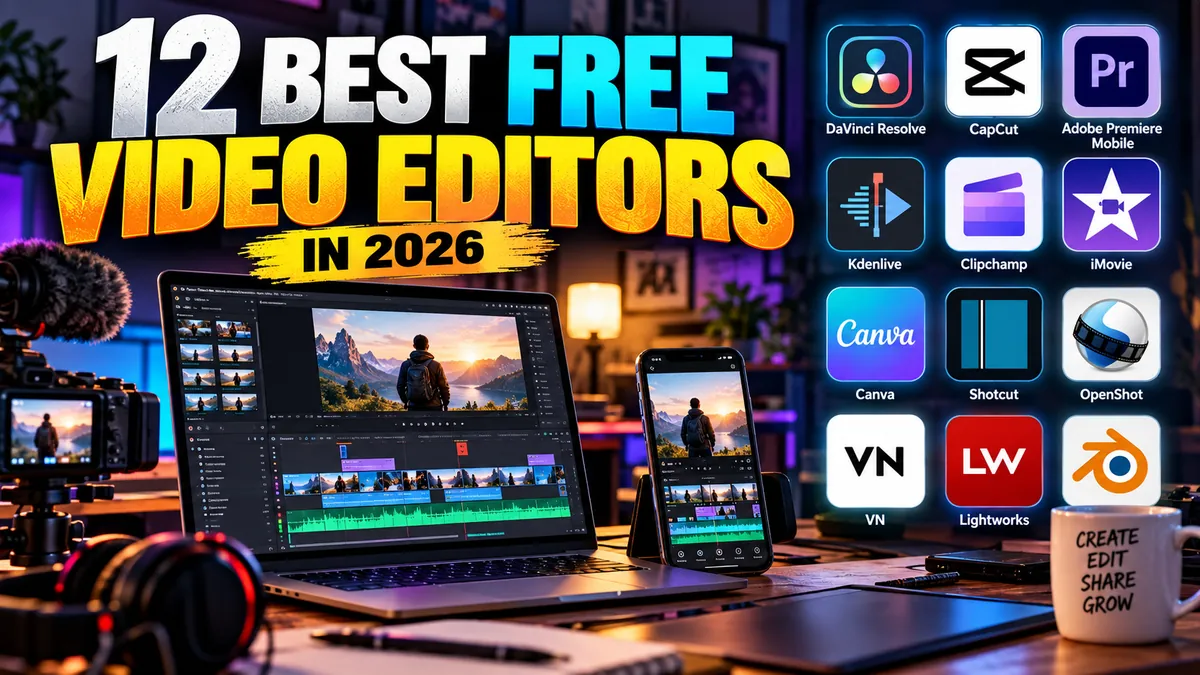
12 Best Free Video Editors in 2026
You do not need an expensive editing subscription to make a polished YouTube video, TikTok, Instagram Reel, music performance, podcast clip or short film in 2026.
The best free video editors now range from professional post-production software capable of serious color grading and audio work to remarkably simple mobile apps designed to turn phone footage into social content in minutes.
The catch is that “free” can mean very different things.
Some editors are genuinely free and open source. Others offer free plans while reserving premium effects, stock assets, artificial-intelligence features or higher-resolution exports for paying users. A few make it easy to accidentally build a project with premium elements before discovering the restriction at export.
For this guide, we focused on practical creator value rather than the longest feature list.
We considered editing capability, export restrictions, watermarks, platform support, learning curve, audio tools, vertical-video workflows, creator-friendly features and whether the free version is useful enough to keep using without immediately paying.
Here are the best free video editors in 2026.
Best Free Video Editors: Quick Comparison
| Rank | Video Editor | Best For | Platforms | Free Export / Key Limit |
|---|---|---|---|---|
| 1 | DaVinci Resolve | Professional editing | Windows, Mac, Linux | Up to Ultra HD 4K/60fps in free version |
| 2 | CapCut | TikTok, Reels and Shorts | Windows, Mac, Web, Mobile | Strong free tools; some assets/features are Pro |
| 3 | Adobe Premiere Mobile | Mobile creators | iPhone, Android | Unlimited 4K core exports, no watermark |
| 4 | Kdenlive | Open-source power users | Windows, Mac, Linux | Free and open source |
| 5 | Clipchamp | Windows beginners | Windows, Web | 1080p free, no watermark |
| 6 | iMovie | Apple beginners | Mac, iPhone, iPad | Free; supports 4K |
| 7 | Shotcut | Cross-platform desktop editing | Windows, Mac, Linux | Free and open source |
| 8 | Canva | Social and branded videos | Web, Windows, Mac, Mobile | Watermark-free with free assets |
| 9 | OpenShot | Beginners wanting open source | Windows, Mac, Linux | Free and open source |
| 10 | VN Video Editor | Mobile-first editing | Mobile, desktop availability varies | Strong free creator workflow |
| 11 | Lightworks | Traditional timeline editing | Windows, Mac, Linux | Free tier with restrictions |
| 12 | Blender | VFX and 3D creators | Windows, Mac, Linux | Free and open source |
Quick recommendation: Choose DaVinci Resolve for serious desktop editing, CapCut for social media, Adobe Premiere Mobile for phone-first editing, Kdenlive for open-source desktop work and iMovie if you want the easiest Apple option.
1. DaVinci Resolve
Best overall free video editor
If you want free software that you are unlikely to outgrow quickly, DaVinci Resolve is the strongest recommendation.
Blackmagic Design’s editor combines traditional editing, professional color correction, visual effects, motion graphics and Fairlight audio tools inside one application.
The free edition of DaVinci Resolve 21 supports editing and finishing at up to 60 frames per second in resolutions as high as Ultra HD 3840 × 2160.
That is more than enough for most YouTube channels, music videos, interviews, short films and creator projects.
Why it ranks No. 1
Resolve is not primarily a simplified free editor designed to push beginners toward a subscription.
It is a professional post-production platform with an extremely capable free version.
You can cut multicamera-style projects, manipulate color extensively, mix audio, build titles and move into Fusion for visual effects.
The advantage is obvious: learning Resolve develops skills that remain useful as your projects become more sophisticated.
What’s missing from the free version?
Blackmagic reserves additional capabilities for DaVinci Resolve Studio, including more advanced AI Neural Engine features, extra Resolve FX, expanded format support, advanced HDR capabilities and other professional tools.
Studio is therefore meaningful for high-end workflows.
Most independent creators will not need it immediately.
The downside
Resolve’s greatest strength is also its weakness.
It is big.
A creator who only wants to trim three clips, add captions and upload a Reel can accomplish the job much faster elsewhere.
It also benefits from reasonably capable hardware.
Best for: YouTubers, filmmakers, music-video editors, serious creators and anyone learning professional post-production.
Skip it if: You primarily make quick social videos on your phone.
Verdict: The best free video editor overall in 2026.
2. CapCut
Best free video editor for TikTok, Reels and Shorts
CapCut understands contemporary social video.
Vertical formats, animated text, transitions, effects, templates, captions and short-form editing feel central to the experience rather than features added to software originally designed for television.
That makes it especially attractive to TikTok, Instagram Reels and YouTube Shorts creators.
Why creators love it
Speed.
CapCut reduces the amount of manual work required to produce the visual language audiences now expect from short-form content.
That includes fast cuts, captions, text effects and social-friendly formats.
It is also available across mobile, desktop and web environments.
Is CapCut really free in 2026?
Yes—but with an important qualification.
CapCut has increasingly separated free and Pro assets and features.
Standard editing with your own footage can often produce watermark-free output. However, premium templates, effects, fonts, AI tools and certain advanced export options may require CapCut Pro.
Creators should watch for Pro labels while editing rather than discovering at export that an element requires payment.
This is the biggest reason CapCut does not take our No. 1 position.
DaVinci Resolve provides a clearer long-term free desktop workflow.
CapCut provides the faster social workflow.
Best creator use cases
- TikTok videos
- Instagram Reels
- YouTube Shorts
- Talking-head clips
- Trend-driven edits
- Social captions
- Quick promotional videos
Best for: Social creators.
Skip it if: You want a traditional professional post-production environment with predictable long-term free boundaries.
Verdict: The easiest recommendation for short-form creators.
3. Adobe Premiere Mobile
Best new free mobile editor
Adobe Premiere deserves special attention in 2026 because Adobe’s mobile strategy has changed significantly.
Premiere on mobile is a free standalone editor, and Adobe says its core editing tools can be used without paying.
Even more importantly, Adobe currently allows unlimited 4K exports without a watermark from the free mobile app.
That makes it far more interesting than a typical stripped-down companion application.
What can creators do?
Premiere mobile includes timeline editing, effects, color controls, audio enhancement, voiceovers and workflows designed around modern mobile content.
Adobe has also been updating the app throughout 2026 with features such as speed curves, background removal and workflow improvements.
What’s actually paid?
Generative AI is the major distinction.
Firefly-powered generative features use generative credits, so “Premiere mobile is free” should not be interpreted as “every AI feature is unlimited and free.”
Additional cloud storage can also involve paid services.
Why it ranks above iMovie
iMovie remains easier for absolute beginners.
Premiere mobile offers a more ambitious path for creators who want sophisticated mobile editing without immediately paying for desktop Premiere Pro.
Best for: iPhone and Android creators, Shorts, Reels, travel videos and mobile YouTube workflows.
Skip it if: You need a full desktop professional editing suite for free.
Verdict: One of the most important free creator tools to emerge in the current mobile editing market.
4. Kdenlive
Best free open-source editor for power users
Kdenlive may not have the mainstream recognition of Adobe Premiere or CapCut, but open-source creators have good reason to take it seriously.
Kdenlive is free software released under the GPL and provides a proper nonlinear editing environment.
It supports multitrack editing, proxy workflows for demanding footage, effects, transitions, keyframes, subtitles, audio/video scopes and customizable layouts.
Why it stands out
There is no artificial divide where your project suddenly requires a subscription because you clicked the wrong effect.
The software is genuinely open source.
That makes Kdenlive particularly appealing to Linux users, privacy-conscious creators and people who dislike subscription software.
Creator use cases
Kdenlive works well for:
- YouTube videos
- documentaries
- tutorials
- screen recordings
- longer creator projects
- multi-track edits
- 4K workflows using proxies
The downside
The interface and workflow can require adjustment, particularly if you are coming from highly simplified mobile applications.
Mac support exists, while Kdenlive’s strongest historical roots remain in Linux. Windows builds are also available.
Best for: Open-source enthusiasts and advanced desktop users.
Verdict: One of the best genuinely free alternatives to commercial editing software.
5. Microsoft Clipchamp
Best free editor for Windows beginners
Microsoft Clipchamp occupies a useful middle ground.
It is easier than DaVinci Resolve but more capable for everyday creator work than extremely basic trimming applications.
Windows 11 users also benefit from Clipchamp’s integration into Microsoft’s consumer ecosystem.
What does the free plan include?
Microsoft currently allows free users to export as many videos as they want at up to 1080p HD without a watermark.
The free plan includes basic editing tools, free stock assets and AI-assisted features including subtitles, voiceovers and silence removal.
That is a compelling package for beginners.
What’s the catch?
4K export is a premium feature.
Premium stock assets and some additional capabilities also sit outside the free plan.
For many YouTube videos, school projects, presentations and social-media clips, 1080p remains perfectly adequate.
Why choose Clipchamp?
Because it is easy.
Not everyone wants to learn nodes, professional scopes and advanced color workflows just to create a five-minute video.
Best for: Windows beginners, simple YouTube videos, educational content and quick business videos.
Verdict: One of the easiest free desktop options for Windows users.
6. Apple iMovie
Best free video editor for Apple beginners
iMovie remains relevant because Apple understands beginner-friendly creative software.
It is free for compatible Apple devices and available across Mac, iPhone and iPad.
You can trim clips, add titles, work with music, use green-screen and picture-in-picture effects, adjust speed and create polished basic videos without facing an intimidating professional interface.
Does iMovie support 4K?
Yes.
Apple supports 4K workflows in iMovie, with capabilities depending on device and source footage.
The mobile version can save compatible projects at resolutions up to 4K, including 60fps on supported hardware.
Why choose iMovie over Premiere mobile?
Choose iMovie if simplicity matters more than expansion.
Choose Premiere mobile if you want a more modern creator workflow and expect your editing ambitions to grow.
Where iMovie shines
Music students, beginner YouTubers, families, teachers and casual creators can learn it quickly.
It is also useful for creators who shoot on an iPhone and want to remain inside Apple’s ecosystem.
Best for: Mac, iPhone and iPad beginners.
Verdict: Still one of the easiest ways to learn basic video editing.
7. Shotcut
Best lightweight open-source cross-platform editor
Shotcut is free, open source and available across Windows, macOS and Linux.
It supports a wide range of video and audio formats through FFmpeg and can work with mixed formats, resolutions and frame rates.
It also supports resolutions up to 4K.
Why use Shotcut?
Shotcut is attractive if you want a traditional timeline editor without accounts, subscriptions or cloud dependencies.
It includes filters, keyframes, color tools, capture options and extensive format support.
Shotcut vs Kdenlive
Kdenlive generally feels more like a complete modern nonlinear editing environment for ambitious projects.
Shotcut can feel more direct and lightweight.
Neither requires a subscription.
Best for: Creators wanting a straightforward open-source editor on Windows, Mac or Linux.
Verdict: Reliable, flexible and refreshingly free of subscription pressure.
8. Canva
Best free editor for branded social content
Canva is not the editor we would choose for cutting a documentary.
It might be the editor we would choose for producing five branded social videos before lunch.
That distinction matters.
Why Canva belongs on this list
Video is now deeply integrated into the broader creator-design workflow.
A musician might need:
- an Instagram announcement;
- a lyric teaser;
- a YouTube intro;
- a vertical concert clip;
- a thumbnail;
- and a promotional Story.
Canva lets creators build these assets in one visual environment.
Its video editor supports trimming, splitting, text, captions, graphics, templates, stock assets and social-friendly formats.
Does Canva add a watermark?
Not automatically when you use free assets.
Canva Free users can export videos without watermarks when their projects use free elements, footage, images and music.
If you add Pro content while using a free account, that premium content can introduce a watermark unless you license it or upgrade.
That distinction is important.
Best creator use cases
Canva is particularly good for:
- promotional clips;
- social videos;
- lyric graphics;
- simple music visualizers;
- announcements;
- branded videos;
- presentations; and
- template-driven content.
Best for: Creators who value design and branding as much as editing.
Verdict: A better creator-marketing tool than a traditional film editor—and that is exactly why it is useful.
9. OpenShot
Best open-source editor for beginners
OpenShot’s biggest selling point is easy to explain:
It is genuinely free and designed to be approachable.
The current OpenShot 4 generation provides timeline editing alongside increasingly capable tools for color work, keyframe animation, effects and masking.
Why choose OpenShot?
Someone learning video editing may not need DaVinci Resolve’s enormous toolset.
OpenShot provides a friendlier path into timeline-based editing while remaining available on Linux, Mac and Windows.
What can you create?
It works well for:
- simple YouTube videos;
- photo montages;
- basic music videos;
- school projects;
- presentations; and
- beginner social content.
The downside
More demanding creators may eventually prefer Kdenlive, Shotcut or DaVinci Resolve for larger projects and deeper workflows.
Best for: Beginners who specifically want free open-source software.
10. VN Video Editor
Best alternative mobile editor for hands-on social editing
VN has built a following among mobile creators because it offers a more traditional editing feel than template-first social apps.
That can be appealing if you want direct control over cuts, tracks, keyframes, text and music while still working primarily from a phone.
Why consider VN?
CapCut is deeply optimized around trends, templates and its growing ecosystem of premium features.
VN can feel more like a conventional editor adapted for mobile use.
That is useful for:
- vlogs;
- travel videos;
- music clips;
- Reels;
- Shorts; and
- creator montages.
What to check before committing
Mobile-app features, platform availability and free/premium boundaries can change more frequently than traditional open-source desktop software.
Check the current app-store listing for your device and region before building a long-term workflow around a particular feature.
Best for: Mobile creators wanting manual editing control.
11. Lightworks
Best for learning a traditional editing environment
Lightworks has a long history in professional editing.
Its modern free offering provides an opportunity to learn a timeline workflow that feels closer to traditional editing software than social-video apps.
Why it makes the list
Editing is not only about features.
Workflow matters.
Learning how to organize media, construct sequences and make deliberate cuts can be more valuable than having hundreds of templates.
Lightworks encourages that mindset.
Why it ranks lower
The free version has more limitations than the genuinely open-source options above it.
That makes Kdenlive, Shotcut and OpenShot easier recommendations when “free” is the priority.
Best for: People interested in traditional editing concepts.
12. Blender
Best free option for 3D creators and VFX-heavy projects
Yes, Blender is primarily known for 3D creation.
But it also includes video-sequencing capabilities.
Why would you edit video in software famous for modeling, animation and rendering?
Because some creators are not merely editing video.
They are building shots.
Who should use Blender for video?
Blender makes sense when your project combines:
- 3D animation;
- motion graphics;
- visual effects;
- compositing;
- rendered sequences; and
- conventional video.
A creator making straightforward YouTube talking-head content should choose something else.
A creator producing a 3D music visualizer might find Blender invaluable.
The advantage
Blender is free and open source.
Its creative ceiling is extraordinarily high.
The disadvantage
The learning curve is equally impressive.
Best for: 3D artists, animators and VFX creators.
Best Free Video Editor by Use Case
Choosing the right editor is easier when you ignore the overall ranking and focus on what you actually make.
Best Free Video Editor for YouTube
DaVinci Resolve
It gives YouTubers room to grow from basic cuts into color grading, audio mixing, multicamera work and more sophisticated production.
For simpler YouTube channels, Clipchamp is easier.
Best Free Video Editor for TikTok
CapCut
Its social-first workflow is difficult to beat.
Just pay attention to which assets and features carry a Pro label.
Best Free Video Editor for Instagram Reels
CapCut for trend-driven editing.
Canva for branded Reels.
Adobe Premiere Mobile for creators who want more traditional editing control on a phone.
Best Free Video Editor for iPhone
Adobe Premiere Mobile is our current pick for ambitious creators.
iMovie remains the simplest.
Best Free Video Editor for Android
Adobe Premiere Mobile and CapCut are the most compelling mainstream choices for many creators in 2026.
Feature availability can vary by device and region.
Best Free Video Editor for Windows
DaVinci Resolve for power.
Clipchamp for simplicity.
Best Free Video Editor for Mac
DaVinci Resolve for serious editing.
iMovie for beginners.
Best Free Video Editor for Linux
Kdenlive.
Shotcut and DaVinci Resolve are also important alternatives depending on workflow and hardware.
Best Free Video Editor for Music Videos
DaVinci Resolve.
Music videos often depend heavily on rhythm, color, effects and audio synchronization—all areas where Resolve provides room to grow.
For 3D-heavy experimental visuals, consider Blender.
Best Free Video Editors Without Watermarks
Watermarks are one of the most frustrating parts of supposedly free editing software.
Our strongest recommendations for clean free workflows include:
DaVinci Resolve
The free version is a genuine editing application rather than a trial that stamps branding over ordinary exports.
Kdenlive
Free and open source.
Shotcut
Free and open source.
OpenShot
Free and open source.
Clipchamp
Microsoft currently allows free 1080p exports without a watermark.
iMovie
Apple’s free editor does not add an iMovie watermark to normal exports.
Adobe Premiere Mobile
Adobe currently advertises unlimited 4K core exports without watermarks.
Canva
Free projects can export cleanly when they use free content. Pro assets can introduce licensing/watermark restrictions for free users.
CapCut
Clean exports are possible for many standard projects, but premium templates, assets and features can change what is available without Pro.
Free vs Freemium Video Editors: Know the Difference
This distinction matters more in 2026 than ever.
Truly free/open-source editors
Examples include:
- Kdenlive
- Shotcut
- OpenShot
- Blender
Their business model does not depend on persuading you to unlock the next editing effect with a monthly subscription.
Professional software with a powerful free edition
The clearest example is:
DaVinci Resolve
Blackmagic sells the more advanced Studio edition while maintaining a remarkably capable free product.
Freemium editors
Examples include:
- CapCut
- Canva
- Clipchamp
- Lightworks
You can genuinely edit for free, but some assets, features, exports or services require payment.
Free ecosystem apps
iMovie is free for Apple’s supported hardware ecosystem.
Adobe Premiere mobile currently provides its core editor for free while monetizing areas such as generative AI credits and additional services.
Understanding these categories prevents disappointment later.
Can You Edit 4K Video for Free?
Yes.
But “supports 4K” can mean several different things.
An application may:
- import 4K footage;
- allow editing on a 4K timeline;
- export 4K;
- restrict frame rate;
- reserve certain codecs or hardware acceleration for paid editions.
For example, DaVinci Resolve’s free version supports output up to Ultra HD 3840 × 2160 at up to 60fps.
Adobe says Premiere mobile allows unlimited 4K exports in its free core editing experience.
Apple’s iMovie also supports 4K workflows on compatible devices.
Clipchamp, by comparison, currently limits free exports to 1080p and places 4K output in its premium offering.
If your final destination is TikTok or Instagram, however, obsessing over 4K may be less valuable than good lighting, clean audio and a strong edit.
What Free Video Editor Is Best for Content Creators?
For most creators, there is no single answer.
YouTube creator
Choose DaVinci Resolve.
TikTok creator
Choose CapCut.
Instagram brand or small business
Choose Canva or CapCut.
Mobile journalist or travel creator
Choose Adobe Premiere Mobile.
Apple beginner
Choose iMovie.
Linux creator
Choose Kdenlive.
Open-source advocate
Choose Kdenlive, Shotcut or OpenShot.
3D creator
Choose Blender.
The right software is the one that removes friction from the content you actually publish.
What Should Musicians Look for in a Free Video Editor?
Musicians have slightly different requirements from general social creators.
Audio control
You need accurate synchronization between music and footage.
A good editor should make waveforms easy to read and clips easy to align.
Color grading
Music videos frequently rely heavily on visual mood.
DaVinci Resolve is particularly strong here.
Vertical editing
A single song might require:
- a full YouTube music video;
- a vertical Reel;
- a TikTok teaser;
- a YouTube Short;
- a Spotify Canvas-style visual asset; and
- promotional clips.
Editors that make aspect-ratio changes manageable save enormous amounts of time.
Text and captions
Lyrics, hooks and subtitles matter increasingly on social platforms where users may initially watch without sound.
Licensing
Do not assume that every music track, stock video, template or sound effect inside a free editor is automatically cleared for every commercial use.
Creators releasing monetized work should review the license attached to individual assets.
This is particularly important for musicians, brands and client projects.
Do You Need AI in a Video Editor?
Not necessarily.
AI can save time.
Automatic captions are useful.
Silence removal can accelerate podcast editing.
Background removal can eliminate tedious masking.
Audio enhancement can rescue imperfect dialogue.
Generative tools can create missing assets.
But none of these replaces the fundamental editing decisions that make a video good:
When should the shot change?
What should the audience see?
What information should be removed?
Where should the music enter?
When should you hold a shot instead of cutting?
The best editor is not automatically the editor with the longest AI menu.
For many creators, fast captioning and audio cleanup provide more practical value than flashy generative features.
DaVinci Resolve vs CapCut: Which Is Better?
This is probably the most useful comparison for creators in 2026.
Choose DaVinci Resolve if:
- you edit long-form YouTube videos;
- you make films or music videos;
- color grading matters;
- audio production matters;
- you want professional skills;
- you work primarily on a computer; or
- you want a powerful free version with clear boundaries.
Choose CapCut if:
- you make TikToks;
- you make Instagram Reels;
- you publish Shorts frequently;
- speed matters more than deep control;
- you rely on captions, templates and social effects; or
- you edit heavily on mobile.
Many serious creators can justify using both.
Edit the main project in Resolve.
Use a social-first workflow when turning it into vertical promotional content.
DaVinci Resolve vs Adobe Premiere Mobile
These products solve different problems.
DaVinci Resolve is the stronger choice for professional desktop post-production.
Adobe Premiere Mobile is designed around creating on a phone.
Resolve provides far greater depth in color, audio, effects and large-project organization.
Premiere mobile wins when the footage is already on your phone and the goal is to publish quickly.
Creators should choose based on where they actually work—not which brand sounds more professional.
CapCut vs Canva for Social Video
Choose CapCut when the video itself is the main creative object.
Choose Canva when the video is one piece of a larger visual campaign.
A musician announcing a new single might use Canva to create coordinated:
- Stories;
- posts;
- video announcements;
- thumbnails;
- banners; and
- promotional graphics.
A TikTok creator building a fast-paced edit will probably feel more comfortable in CapCut.
Frequently Asked Questions
What is the best free video editor in 2026?
DaVinci Resolve is our best overall free video editor in 2026 because its free version offers professional editing, color, audio and effects tools without forcing most creators into an immediate subscription.
For social video, CapCut is easier.
For mobile editing, Adobe Premiere Mobile is particularly compelling.
What is the best free video editor for beginners?
Windows users should try Clipchamp.
Apple users should start with iMovie.
Creators who want template-driven branded content should consider Canva.
What is the best free video editor without a watermark?
DaVinci Resolve, Kdenlive, Shotcut and OpenShot are strong options.
Clipchamp currently provides watermark-free 1080p exports on its free plan.
Adobe Premiere mobile also offers watermark-free core exports.
Canva can export without a watermark when free users stick to free content.
Is DaVinci Resolve really free?
Yes.
Blackmagic Design offers a free version of DaVinci Resolve 21 alongside the paid DaVinci Resolve Studio 21.
The free version can edit and finish at up to 60fps in Ultra HD 3840 × 2160, while Studio adds advanced AI, effects, format and professional capabilities.
Is CapCut free in 2026?
CapCut still provides free editing functionality, but it also has a substantial Pro tier.
Premium templates, effects, AI capabilities and certain export options can require Pro.
Check for Pro labels before building your project around a particular asset.
Is Adobe Premiere free?
Desktop Adobe Premiere remains part of Adobe’s paid professional ecosystem.
Premiere on mobile, however, is available as a free standalone editing app with its core editing features.
Adobe currently advertises unlimited 4K exports without watermarks from the mobile app, while generative AI uses Firefly credits.
Is Clipchamp free?
Yes.
Clipchamp’s free plan currently supports unlimited video projects and exports at up to 1080p without a watermark.
4K export and premium assets require paid access.
Is iMovie still free?
Yes.
Apple continues to offer iMovie free for supported Mac, iPhone and iPad devices.
What is the best free editor for YouTube Shorts?
CapCut is our first choice because it is built around short-form social workflows.
Adobe Premiere Mobile is an increasingly strong alternative, especially for creators who prefer more direct timeline editing.
What is the best free video editor for low-end PCs?
Lightweight editors such as Shotcut or OpenShot may be easier to work with than DaVinci Resolve on modest hardware.
Actual performance depends heavily on your footage, codec, resolution, effects and computer specifications.
Proxy editing can also improve performance dramatically.
Can I make professional videos with free software?
Absolutely.
The software is rarely the main limitation.
DaVinci Resolve is capable of serious post-production, while open-source tools such as Kdenlive and Blender can support sophisticated workflows.
Good footage, audio, lighting, pacing and storytelling matter more than whether your editor costs $0 or $50 per month.
Which free video editor is best for music videos?
DaVinci Resolve is our top recommendation.
Its editing, color-grading, audio and effects capabilities make it particularly suitable for music-video production.
Blender is worth adding when a project depends heavily on 3D animation or visual effects.
Final Verdict
The best free video editors in 2026 are better than many paid editing packages from a decade ago.
For the strongest overall package, choose DaVinci Resolve.
For TikTok, Instagram Reels and YouTube Shorts, choose CapCut.
For serious mobile editing, try Adobe Premiere Mobile.
For a genuinely free open-source desktop workflow, choose Kdenlive.
For easy Windows editing, use Clipchamp.
For Apple beginners, iMovie remains difficult to beat.
For branded social content, Canva makes more sense than forcing a traditional film editor to behave like a design platform.
The most important point is not which application has the most features.
It is which one helps you publish.
A creator who produces three good videos every week with a simple free editor will make more progress than someone who spends months learning professional software without finishing anything.
Start with the tool that matches your workflow.
You can always upgrade your software after your content outgrows it.